It looks like Holistics only supports formatting of numbers and dates. I would also like to be able to format my datetimes.
I have tried applying a date format to a datetime field, but it is not recognized in preview mode.
It looks like Holistics only supports formatting of numbers and dates. I would also like to be able to format my datetimes.
I have tried applying a date format to a datetime field, but it is not recognized in preview mode.
Hey @SterlingParamoreMSE! Apologies for my late reply.
Sure thing! Lemme raise it with the team to see if we can support this anytime soon. Will get back to you for updates.
copy @Khai_To on this, too 
We’re working on improving our Data Format. Would you mind share with us about your specific use case and the desired formatting for the datetime fields?
I believe this is NOT an intended behavior. Do you still encounter this issue?
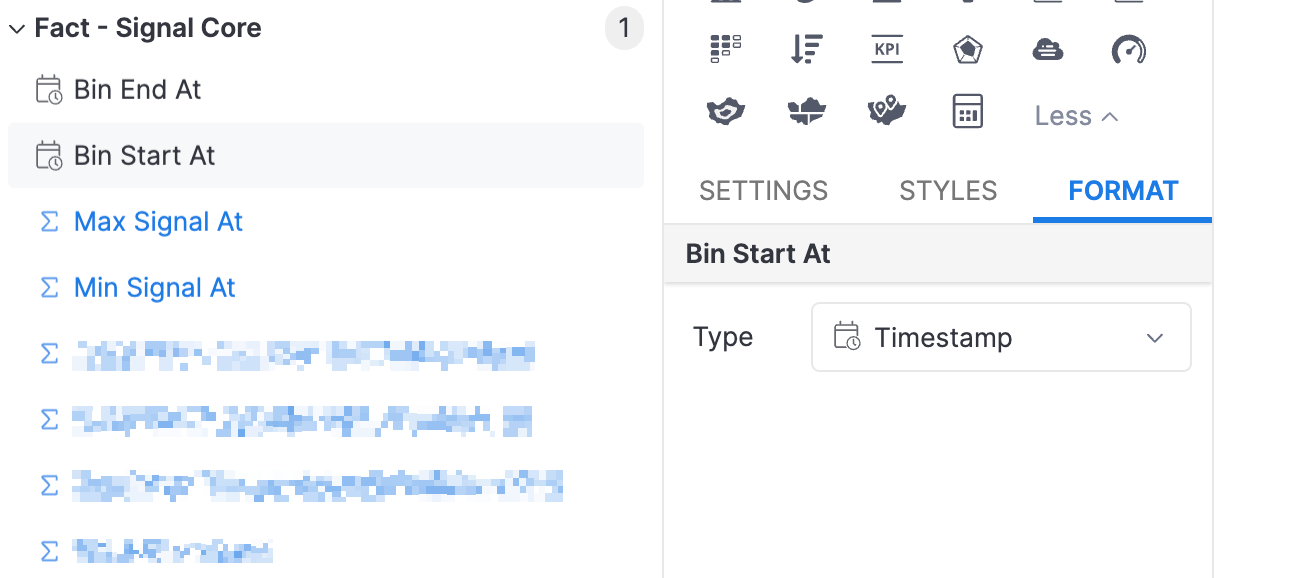
There’s no format option to format timestamps during dataset exploration:
The docs don’t even specify how to format timestamps: Date Format | Holistics Docs (4.0)
I would want to be able to format some timestamps like “June 26, 2023 07:49 am”
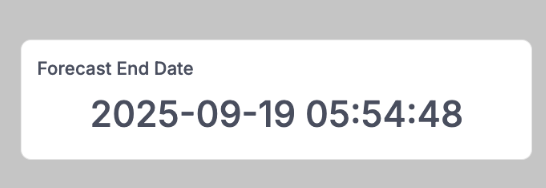
I have a forecast for the end of an event. Seconds don’t make sense on a dashboard like this:
There is a team wager running for the end of session and the Reporting tool gets an entry and nearest minute wins. We were close last spring, but an someone else made a better guess – probably informed by this widget