If you’ve ever changed a filter and wondered why the dashboard didn’t update - the manual Apply step may soon be optional.
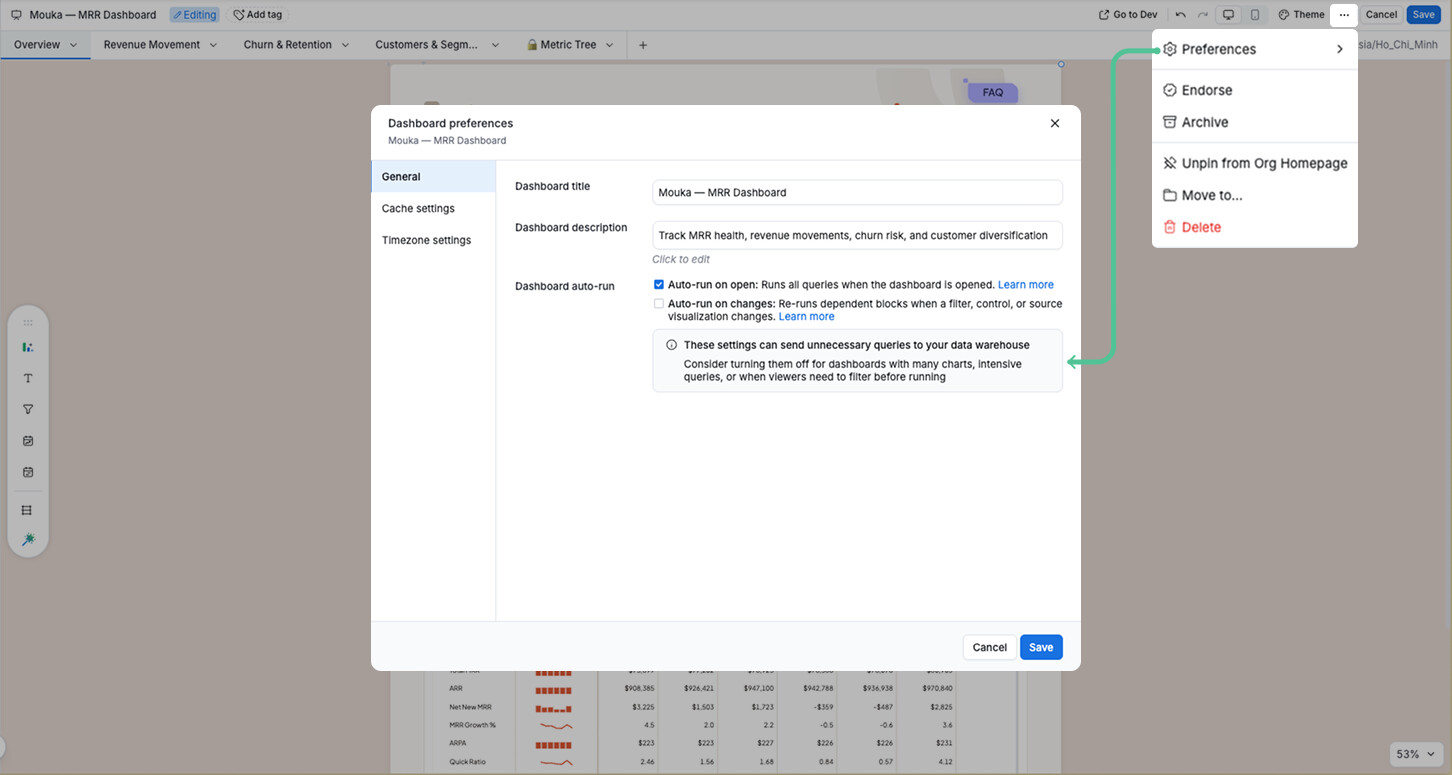
We’re shipping Auto-run on changes - a dashboard-level setting that will make your dashboard re-run automatically whenever a filter, control, or source visualization changes.
A few things to know:
- Opt-in, not forced: auto-run on changes will be off by default. Enable it per dashboard via Dashboard preferences > General > Auto-run on changes.
- Builder-controlled: designed for dashboards with fast queries. For heavy dashboards with many charts, keep manual Apply to avoid unnecessary query costs.
- Applies to filters, controls, and source visualization changes — including AI blocks that depend on a source visualization.
This is especially useful for exploratory dashboards and self-service dashboards aimed at non-technical viewers who expect filters to respond immediately.
We’re shipping this soon. If this has been a pain point for you, we’d love to hear how you use filters today. Drop a comment below!