Want your Holistics dashboards to show up in Microsoft Teams on a schedule? This guide walks you through the quickest way to send scheduled dashboards directly into your Teams channels.
How it works
Every Microsoft Teams channel comes with its own email address. By scheduling Holistics dashboards to that address, reports will be delivered straight into the channel as messages. Here’s the step-by-step guide:
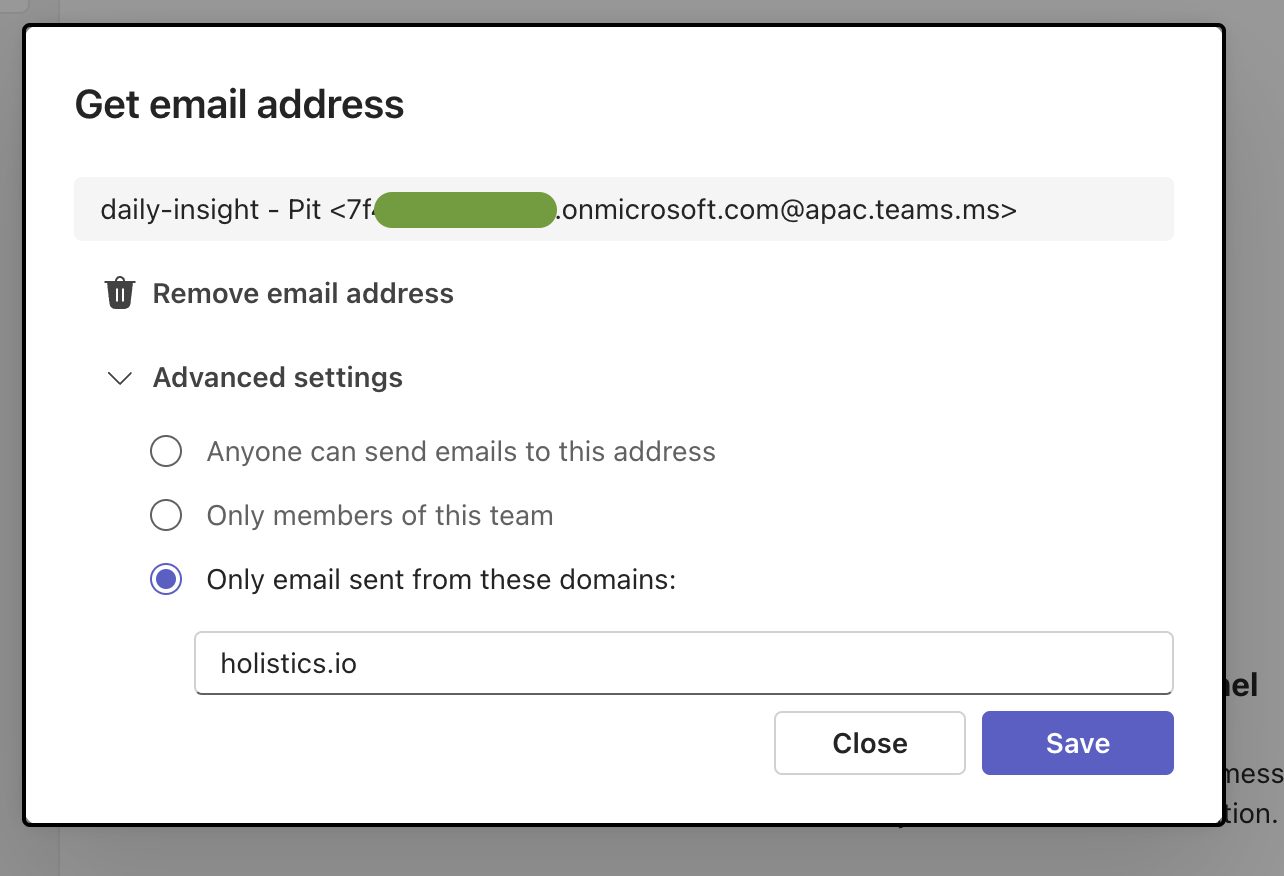
1. Get your Teams channel email
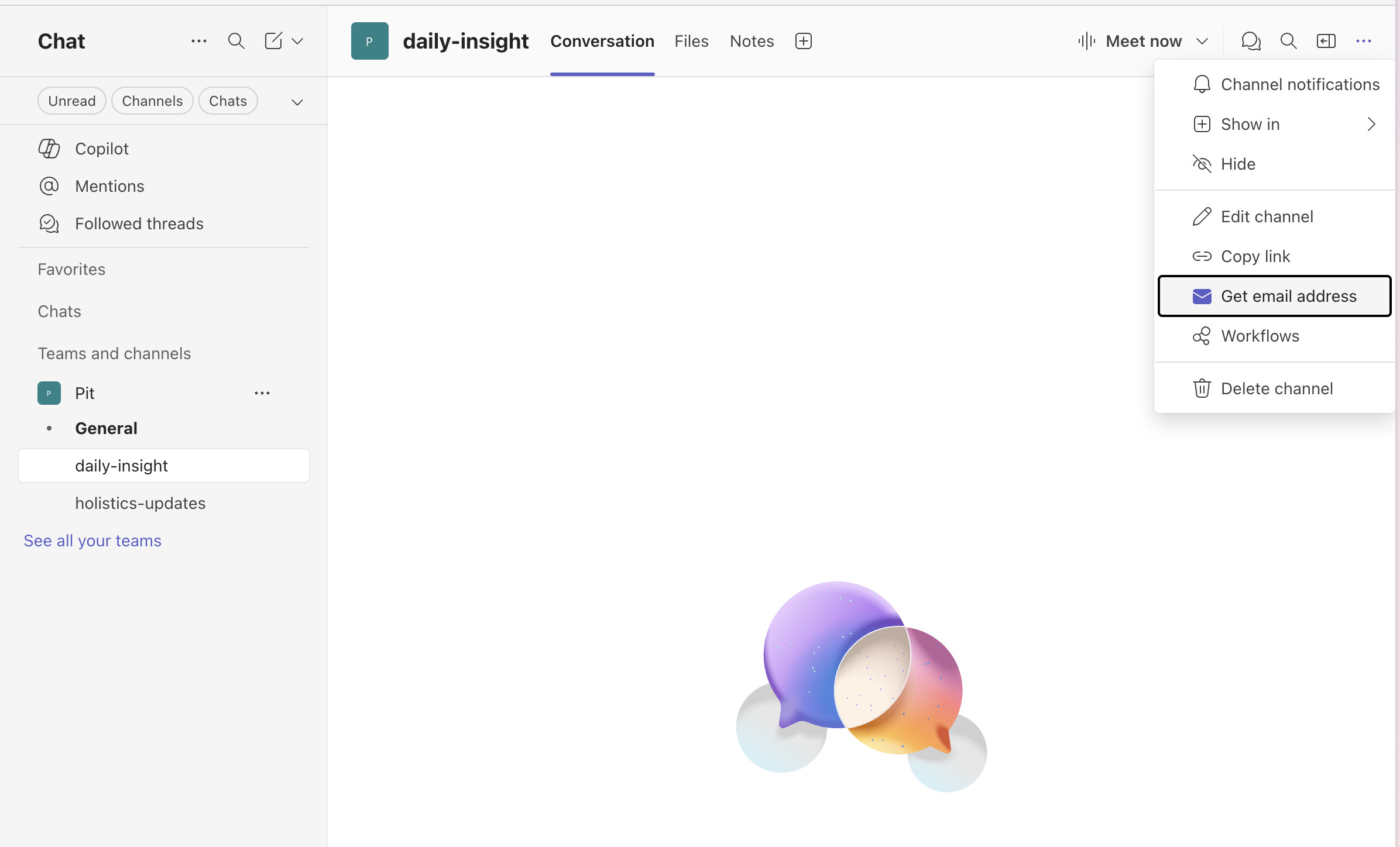
In Microsoft Teams, go to the channel you want. Click ··· (more options) → Get email address
2. Use the channel email in Holistics schedules
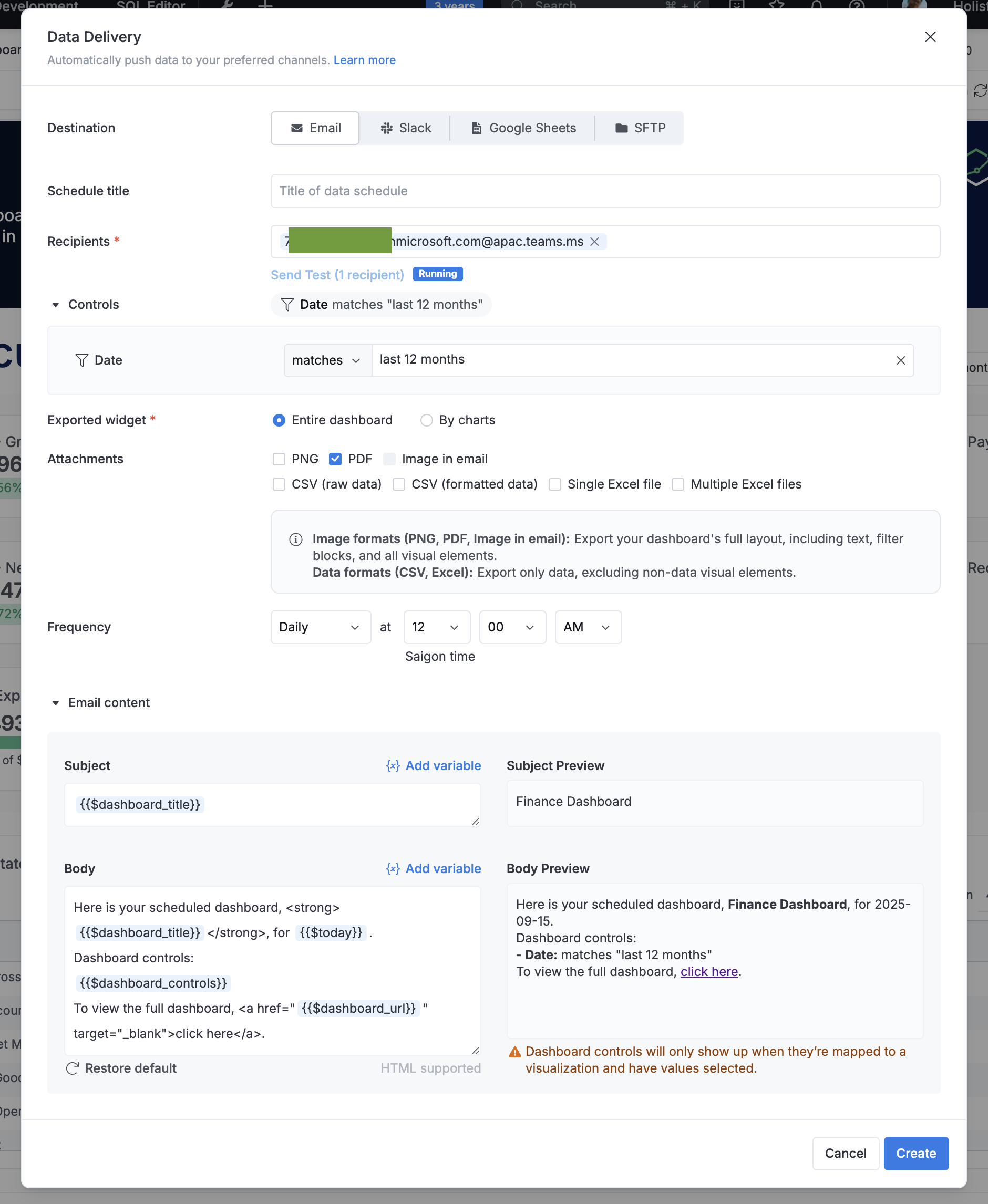
In Holistics, open the dashboard you want to deliver. Set up an Email Schedule and add the Teams channel email as the recipient.
Learn more in our Email Schedules documentation.
3. See the result
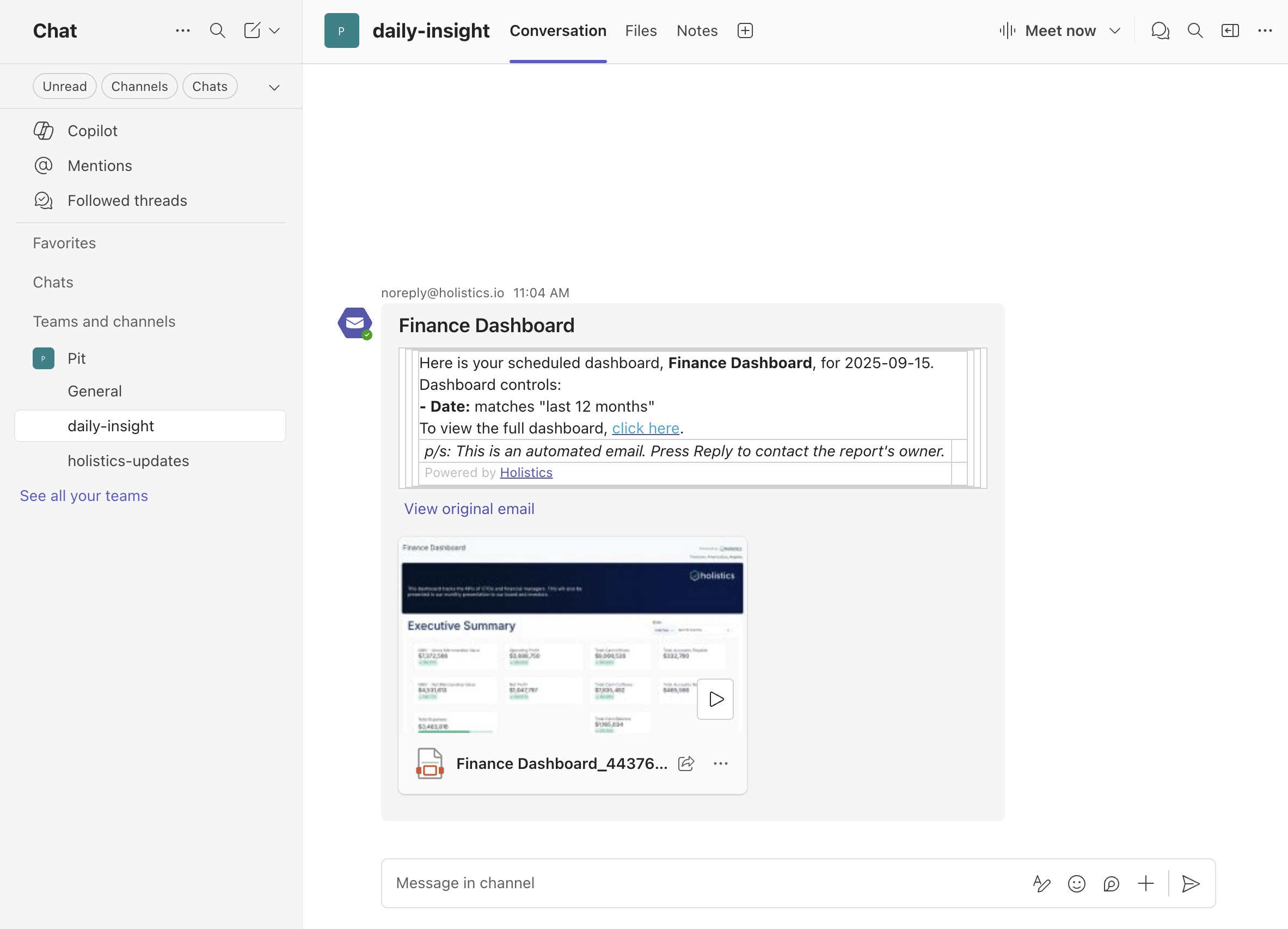
Your scheduled dashboard will now appear directly in your Teams channel:
Other options for more customizations
While the channel email approach is the fastest, you can have more fexlibilty using automation tools like Zapier, Microsoft Power Automate, etc. to customize the email format, display, and attachments.