November 19th, 2025
Picture this: A woman wakes up on a boat with a child beside her. She has no memory of boarding the boat or giving birth to another human being.
Then a stranger strolls in, dancing to the Beach Boys’ Wouldn’t It Be Nice**.** He’s made breakfast. He shows her a photo album filled with moments from a life she apparently lived, but remembers none of.
Is it romantic, or is it horrifying?
As the ending to 50 First Dates, you could call it romantic. On its own, it’s terrifying. Our memory anchors us. It’s the thread that stitches our days together into the person we are. Without it, that thread is cut. We’re left with a blank page, cursed to ask the same questions and to make the same mistakes, day after day.
That is why we are knitting that same thread into Holistics AI, in the form of Context, Chat History, and hopefully soon, Memory.
Soon, you’ll log and share your chat history. Soon, Holistics AI will remember what you share, to learn how to give you the answers you’d have asked (imagine: tell it that conversion rate is your biggest headache, and it’ll lean into CR-focused insights). Over time, it’ll adapt and get better on its own.
In the meantime, we make Holistics AI even easier to use. Let’s take a look.
 Just Released
 Ask AI
Previously, to start exploring with Holistics AI, you had to pick a dataset and then choose between different modes. That’s still how most AI interfaces in BI tools work today.
Now you can just ask.
You get a simple, ChatGPT-style interface where you can type your question and go. Our new Ask AI automatically determines your intent and selects the appropriate knowledge source to deliver the right answers.
With this feature, you can:
- Ask anything about your data without specifying a dataset; the AI automatically picks the appropriate model.
- Ask anything about how to use Holistics (e.g., “How do I set up a Git workflow?”) without selecting a “Search Docs” mode.
- Access the unified AI instantly from the Reporting home page and the left navigation bar (now including mobile).
You can now access Ask AI from:
- The Reporting home page
- The left navigation bar (including mobile)
 Default Dashboard Template
With Holistics Canvas, you can design fully on-brand dashboards—but until now, you couldn’t reuse those designs. Every new dashboard meant redoing colors, fonts, spacing, and other style choices, making consistency hard to maintain.
Default Dashboard Template fixes that. Set your brand standards once, and every new dashboard follows them automatically.
With this feature, you can:
- Define a master template once with your brand standards and best practices
- Auto-apply the template to every new dashboard created
- Ensure brand consistency across your entire organization
- Save time by eliminating manual styling work for every new dashboard
Now released in development mode, coming soon in reporting mode.
 Undo/Redo for Filtering Actions
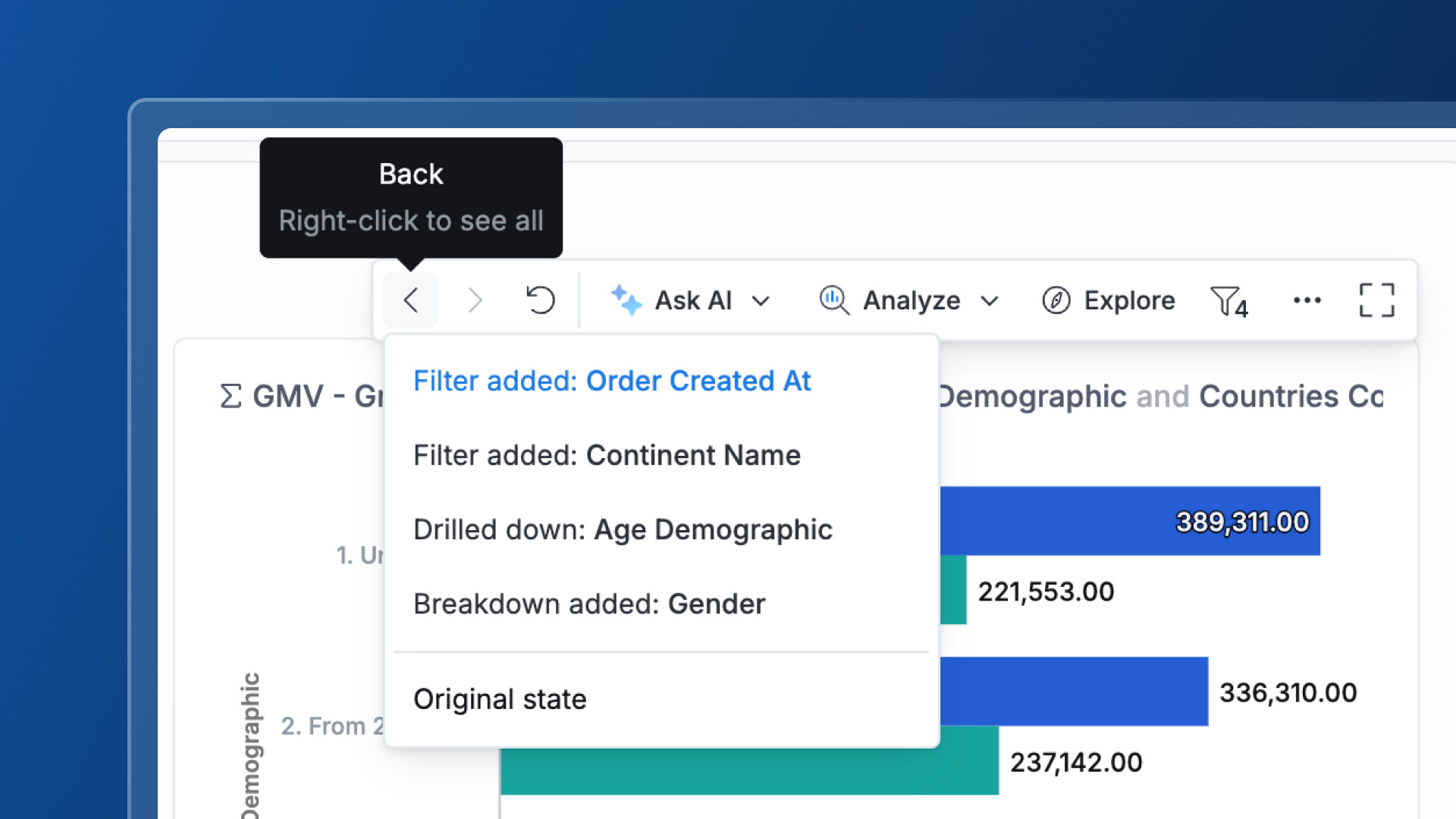
Building on our Block Filtering feature, you can now undo and redo filter actions while exploring dashboards.
Previously, only drill-downs and break-downs were reversible. Now, every step of your analysis, from filtering to drilling down, can be undone or redone, giving you more freedom to explore without worry.
Better yet, you can also right-click on Undo or Redo to see your complete exploration history at a glance
 Quick-View Metadata in Sidebar
Previously, finding the right object meant clicking it open just to check what it was. The sidebar view doesn’t show essentials—creator, last modified date, description—so you end up with extra clicks and constant context switching.
Not anymore. Now you can see an item’s metadata right from the reporting sidebar by simply hovering over it. You can browse, confirm, and move on, without opening every single item.
For more information, check our public doc here.
 CSV Import (Beta)
Sometimes the data you need isn’t in your warehouse yet. A spreadsheet from finance. A vendor list. A quick analysis dataset that doesn’t warrant a full ETL pipeline.
Right now, getting that data into Holistics means asking your data team to set up a pipeline, or worse, copying and pasting values into filters one by one.
CSV Import changes that. Now, data analysts can upload their own data for ad-hoc analyses directly in Holistics.
With this feature, you can:
- Upload CSV files instantly for exploratory analysis without waiting for data engineering.
- Join uploaded data with existing models to enrich your analysis.
- Work independently on ad-hoc analyses without creating pipeline bottlenecks.
- Keep everything centralized and secure, as imported data is stored in your database, not Holistics.
See the full demo here.
 Coming Soon
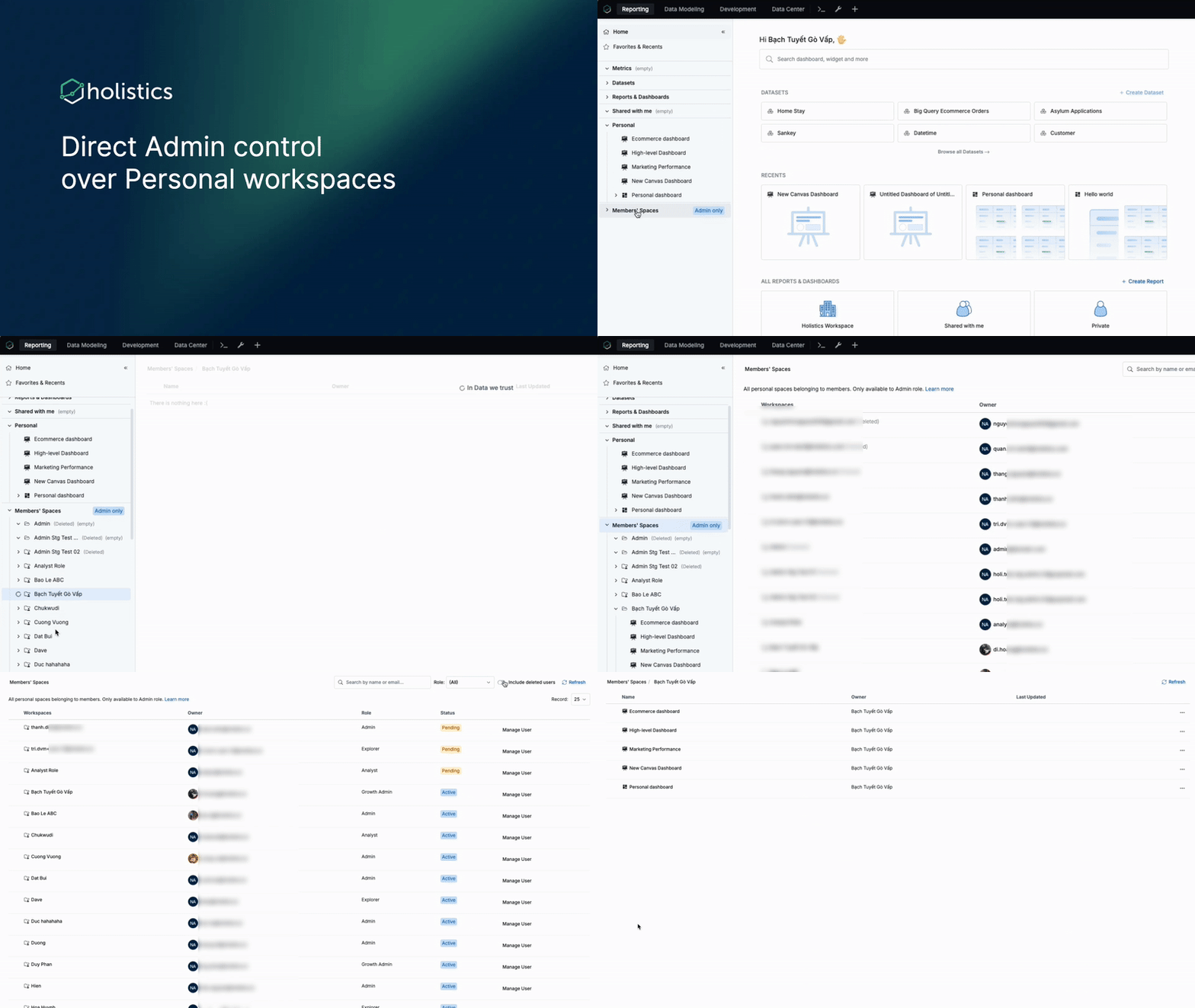
 Direct Admin Control Over Users’ Personal Workspace
Right now, if an admin needs to get into a user’s personal workspace, they have to rely on impersonation. It’s slow, it’s clunky, and it doesn’t even work between admin accounts.
Soon, admins will be able to directly access and manage any user’s personal workspace.
For more information, check our community post here.
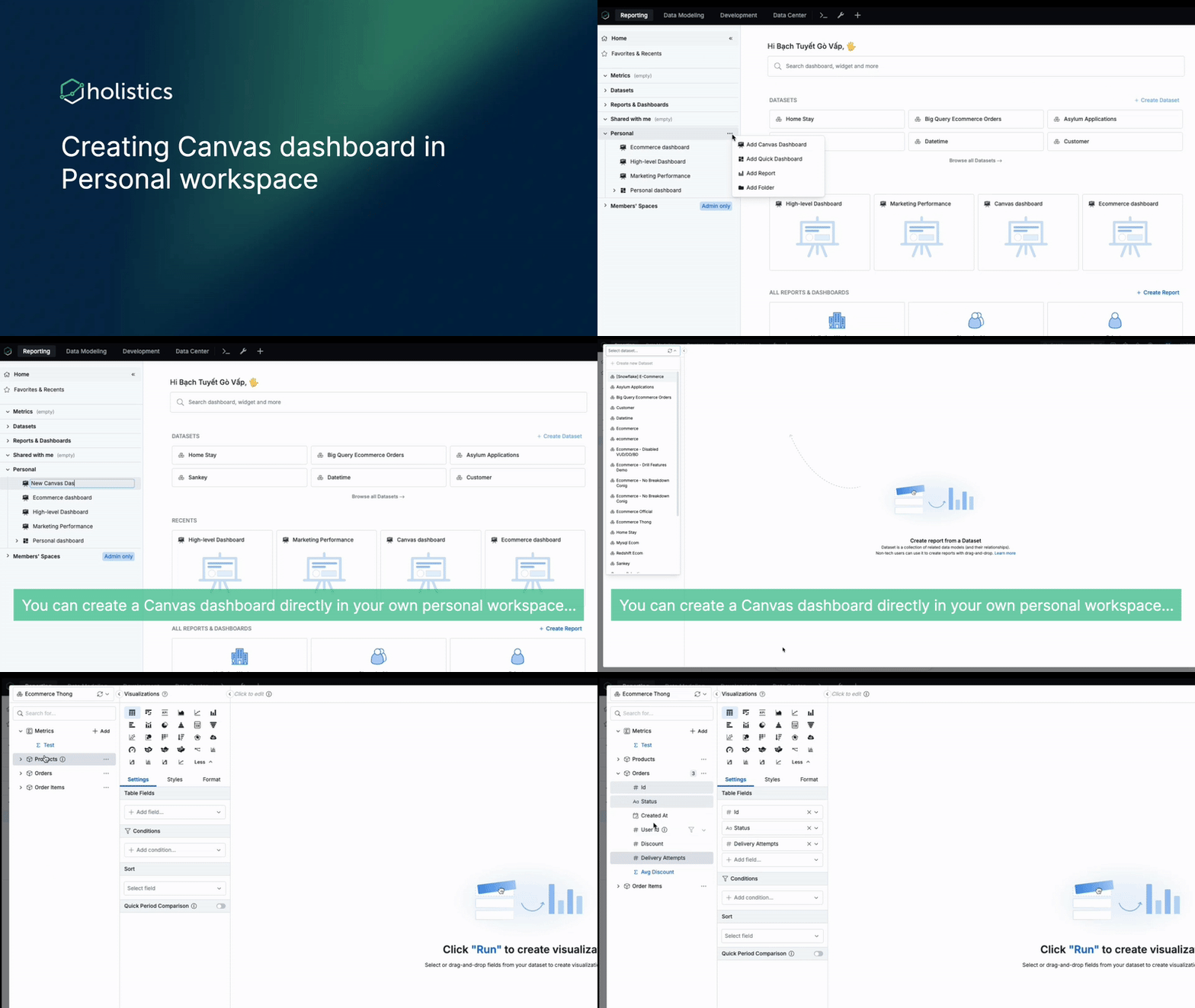
 Canvas Dashboards in Personal Workspace
Previously, only Quick Dashboards were supported in Personal workspaces. If you wanted to build a Canvas Dashboard privately, you had to wait for an admin to set up private folders in the Public workspace.
That wait is about to disappear.
With this feature, you can:
- Create and save private Canvas Dashboards without waiting for administrative setup
- Have full Git control. Since Canvas Dashboards are “as-code,” any dashboard you create in your Personal workspace will be instantly trackable, versionable, and manageable using Git.
 Search Improvements
Finding the right content often feels less like a search and more like a guessing game. Keywords are only half the story.
We’re making search feel less like a guessing game and more like a conversation by enhancing how users find and access content in Holistics.
What’s coming:
- Smarter matching: Search now looks at both an item’s Title and Description, so users can find something even if they only remember what it does. (You can always switch back to Title-only search if you prefer.)
- Faster recall: Instead of just showing your past search keywords, we’ll surface your recently opened items for quick, one-click access.
 Quick Actions in Canvas Dashboard (Copy, Duplicate, Cut, Copy to, etc.)
The process of reusing content across your dashboards shouldn’t require manual rebuilding. We’re expanding our copy capabilities to make reusing content faster and more intuitive.
What’s coming:
- A complete set of copy actions: Copy/Paste (within a tab, across tabs, and across dashboards), Duplicate, Copy To / Move To any tab, dashboard, or folder, plus Cut.
- Keyboard shortcuts: Speed things up with Cmd/Ctrl + C, V, X, and D
- Works everywhere: Use these actions on blocks, block groups, tabs, and dashboards—each with context-aware behavior.
- Smarter mapping: No more guesswork. Mappings stay intact when they should, and reset when they shouldn’t.
 Holistics Referral Program: Share Holistics, Earn $500
Great tools are meant to be shared, and now you’ll get $500 when you do.
We’ve launched our referral program to reward customers who help spread the word about Holistics. If you know any friends who could benefit from a more intuitive analytics platform, send them our way. We’d be grateful for your recommendation. When someone you refer subscribes to Holistics, we’ll send you $500 as a token of our appreciation. 
Learn more about our referral program.

 November UX Updates
“Something has changed within us,” and it shows in this month’s UX updates. We’re helping you defy a little gravity in your daily work with a few refined details.
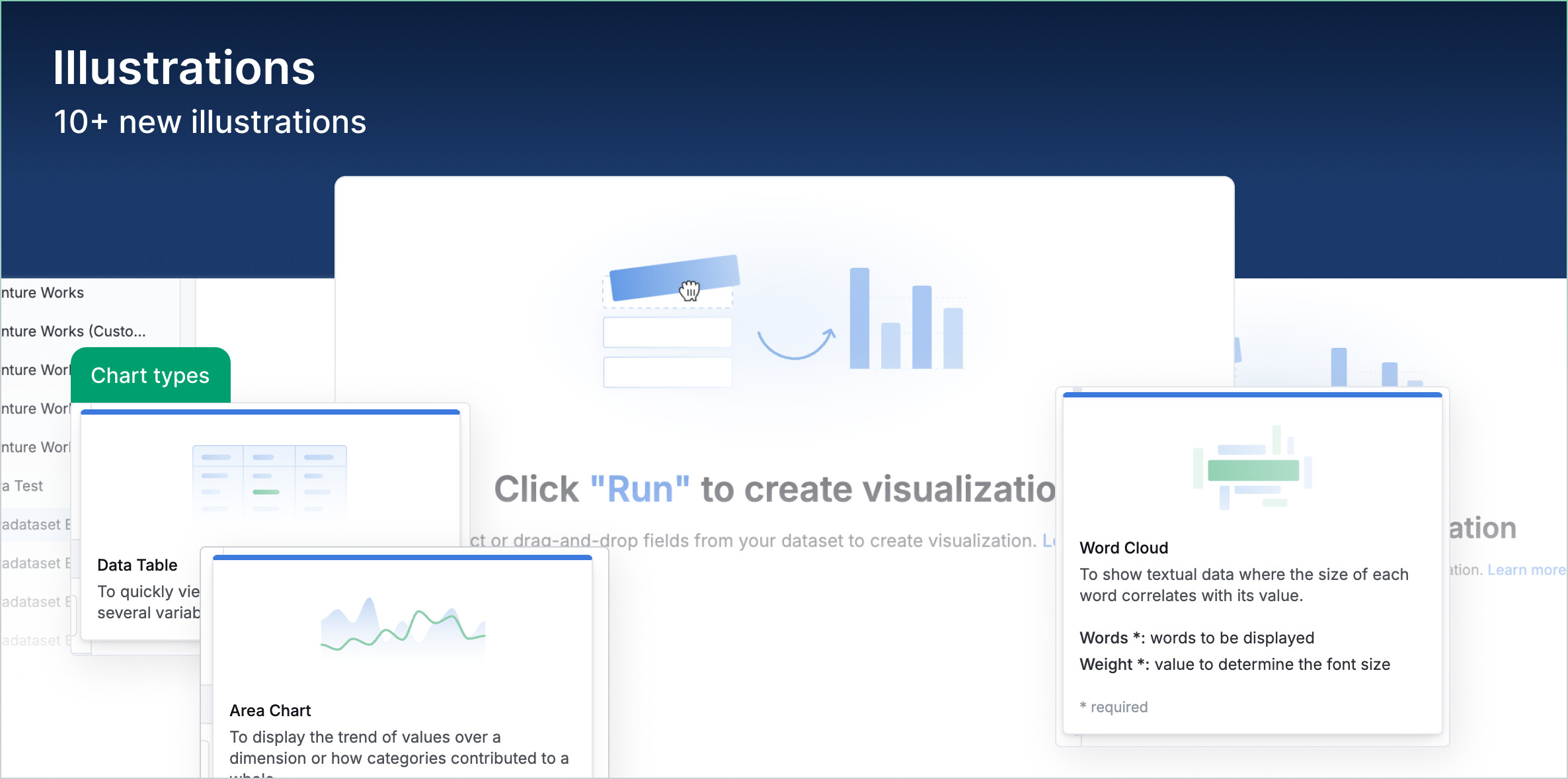
New illustrations
Added a fresh set of visuals to guide you as you build your relationships and charts.
Control block width
Adjust the width of controls to fill the entire block for better alignment in dashboards.

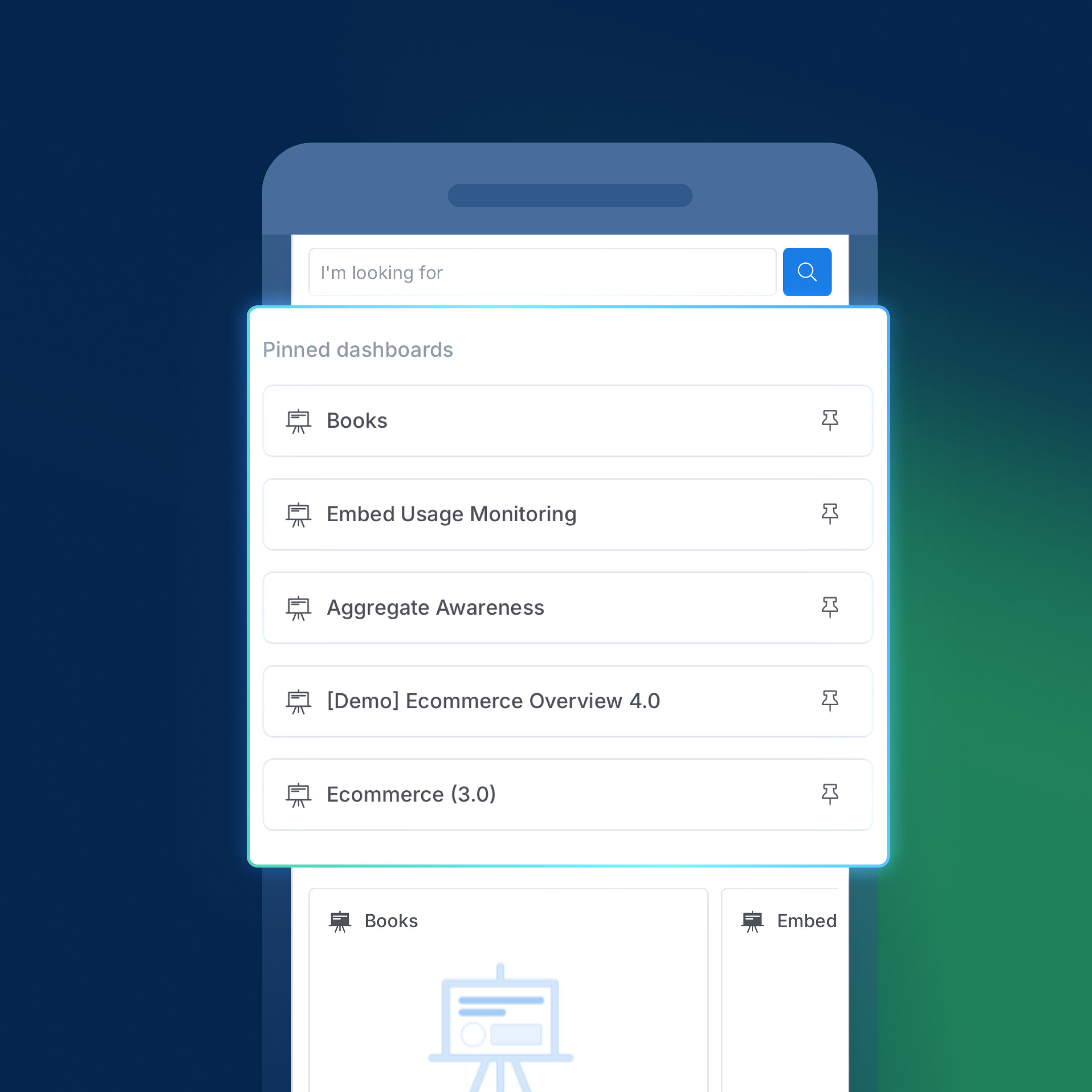
Pinned dashboards on mobile
Updated the Pinned section on Home to make it more responsive and easier to scan.
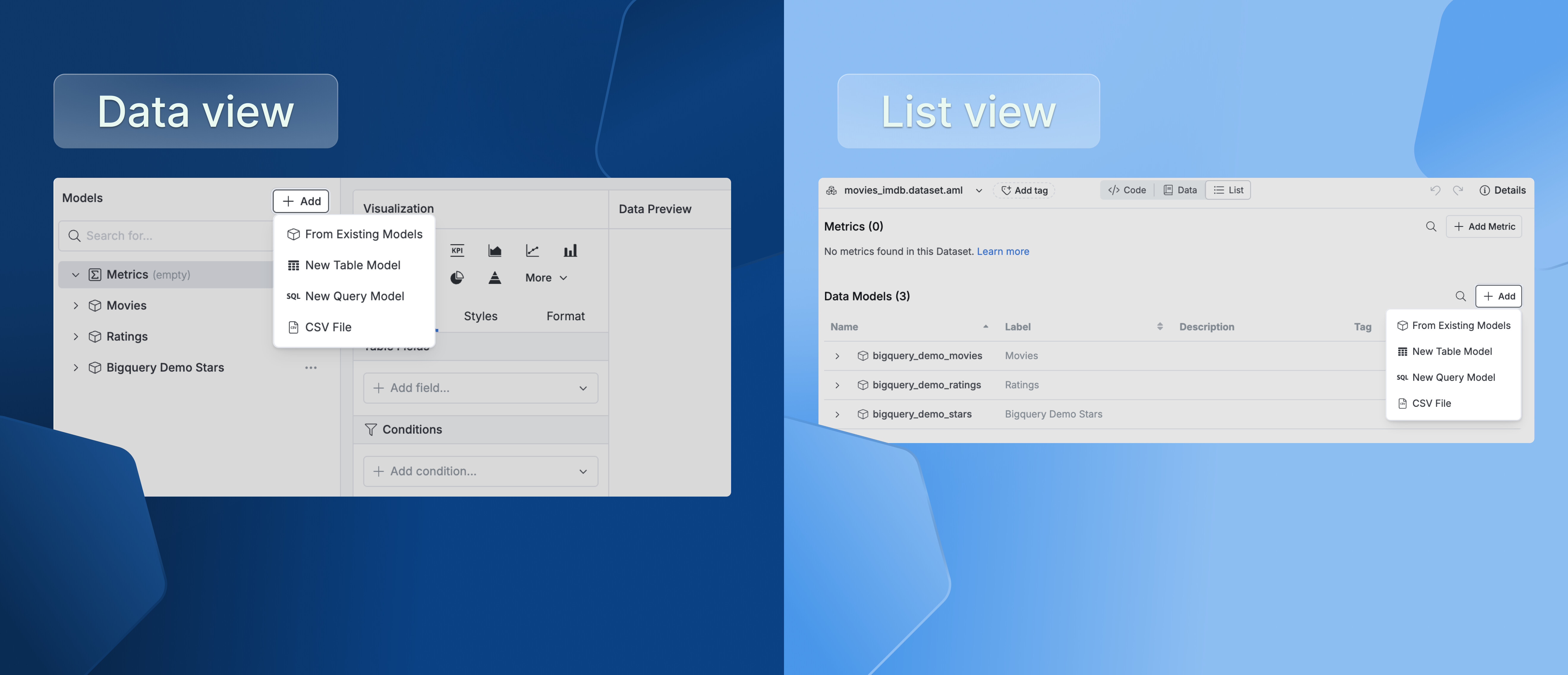
Creating data models in an existing dataset
Enabled creating table and query models directly within an existing dataset, so they’re instantly included with no extra steps needed.
That’s it for this month! A few small changes, we hope, that make a lasting difference for good. Your feedback and suggestions keep us moving forward, so stay tuned as more updates and improvements are on the way!