Friday, August 22, 2025
The aliens come and we ask for monthly active users, among other things.
They arrived speaking every language, with flawless prose and precise grammar, so we assume some sort of mutual comprehension, and immediately begin pestering them with all the really important questions. How to make the perfect beef bourguignon. Which air fryers have the best price-to-value. Or how to stitch your heart back after a bad breakup.
So it’s only natural that we ask them about what we care the most: money. How to make more of it. How to lose less of it. We think that if we surgically construct our sentences, they will understand, and they’ll reveal the great secret of the universe, or at the very least, how to improve our quarterly margins
But the aliens only tilt their heads. They don’t know what “insights” mean. They don’t understand “active users,” or “churn rate,” or any of the terms we assume are obvious.
We tried teaching them. We built dictionaries. We drew maps and pointed: this word means this thing. The aliens understood a little more. They knew that “active users” wasn’t the same as “all users,” that “revenue” wasn’t just any sum of numbers. They could translate our words into something closer to sense.
But still, not quite enough. So we did the most human thing imaginable: we built them a new language, structured enough to be precise, flexible enough to carry our intent.
And we began to see interesting things happen. This month’s updates are all about those things, and more.
 Just Released
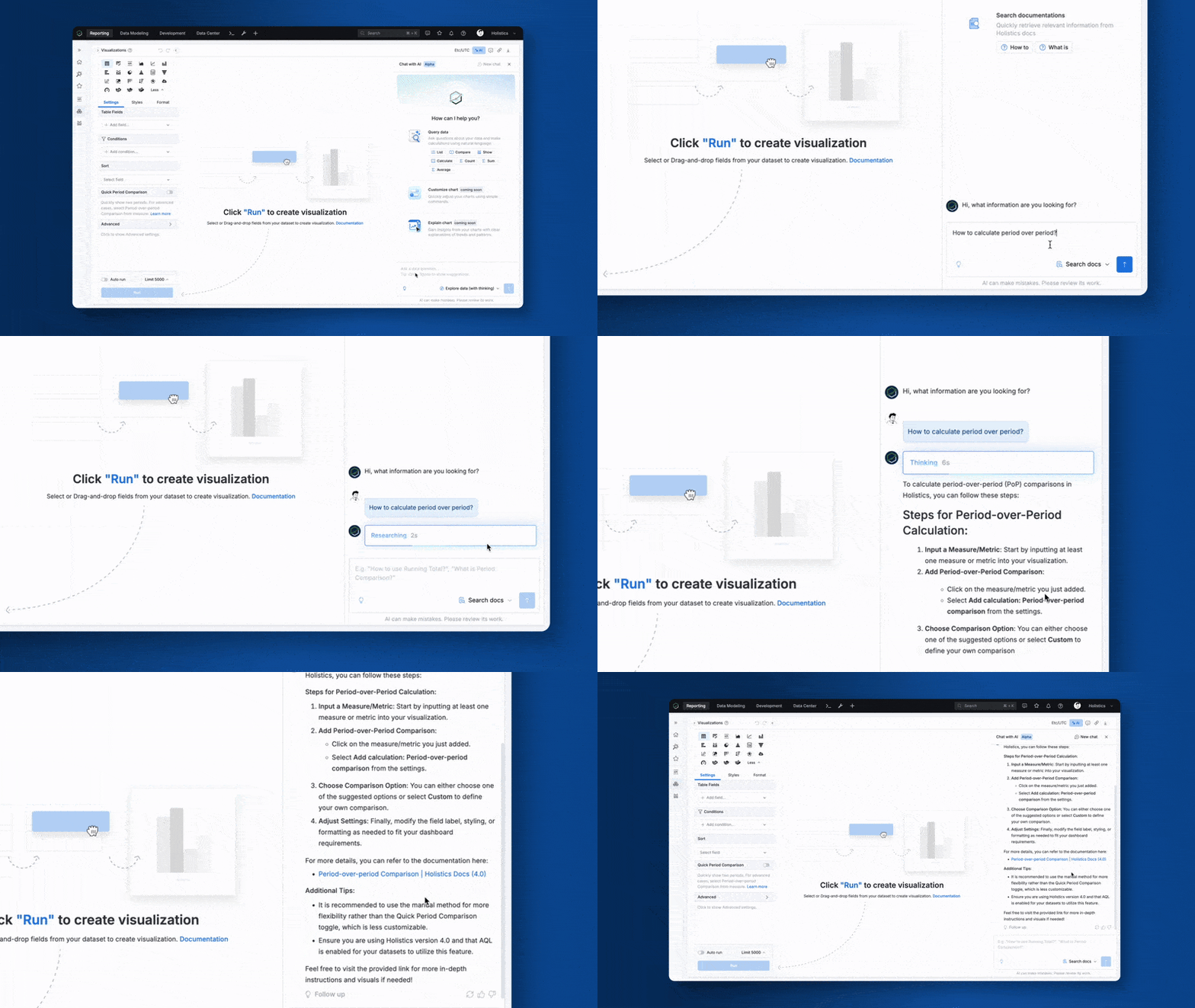
 Search Docs Mode in Holistics AI (Alpha Release)
Stuck on an issue while building reports with Holistics AI? Search Docs lets you look up relevant documentation without leaving Holistics.
It also does (a lot) more.
One of our early alpha users, who’d been using Holistics for 4-5 years, even told us, “You should consider another name for this mode. ‘Search Docs’ didn’t do it justice.” He was fixing a dashboard issue when he realized that Search Docs can use the knowledge in the docs to formulate actual working solutions, even for edge cases not explicitly covered.
And that’s the great thing about having your metrics, dimensions, dashboards, and even themes defined “as code”. You can just throw your half-working logic into the AI chatbox and let it sort things out for you.
For more details, check out our doc here.
 Better Tabs Experience
Nobody wants to scroll through a dashboard a mile long, or wait for it to load. Tabs fix both. And now, we’re making Tabs even better.
This month, we’ve shipped more control and flexibility for Tabs:
- Drill-through to specific tabs: Choose exactly which tab users land on when drilling through data, instead of always landing on the first one
- Locate synced blocks: New icon indicators help you quickly identify where synced instances appear across different tabs.
- Schedule data flexibly: Set custom refresh schedules at the dashboard, tab, or individual chart levels with improved file delivery.
Learn more about Tabs here.
AI-Generated PR Titles and Messages (Beta Release)
Writing PR descriptions shouldn’t feel like a drag. Our AI analyzes your code changes and automatically generates meaningful titles and comprehensive descriptions that clearly communicate what was changed and why.
With this feature, you can save time on every submission and maintain consistent quality across all team members’ PRs.
This feature is now available to our AI Alpha users. If you’re interested in trying out Holistics AI, join our waitlist here.
 Syntax Validation for Canvas Dashboards
The beauty of having your metrics, dimensions, and dashboards defined “as code” is that you get real-time syntax validation.
In most BI tools with a semantic layer, you kind of get this. You do get a Content Validator to help you spot and fix reference errors, but you usually run it as a separate, manual step in the IDE, and only after changes are made, which means downtime, which means your dashboard is down. Which means you’re skipping lunch because Slack has turned into a riot with everyone asking why nothing loads.
We didn’t let this slide in Holistics, so we just shipped a major upgrade to our AML validation and field reference system. Building analytics code now feels like using a proper modern IDE.
With this feature, you can:
- Catch errors instantly with real-time validation and red underlines
- Navigate directly to problematic code by clicking on error indicators
- Use enhanced
ref()syntax (ref('users', 'id') vs. r(users.id)) for better IDE support - Refactor syntax at scale. Rename a field, and all references update automatically
If you’re already building dashboards on Holistics, I’d love to hear what you think. If you’re not… what are you waiting for? 
 Search Improvements
Finding the right dashboards and datasets in large organizations often means guessing keywords or browsing through endless lists. Our improved search algorithm will make discovery faster and more intuitive.
With this feature, you can:
- Filter by tags directly to skip keyword guessing and find exactly what you need
- Access endorsed content first with automatic prioritization of trusted, verified items
- Get more relevant results with an improved algorithm that understands content relationships
- Spend less time searching and more time analyzing with streamlined discovery workflows
 Enhanced Calculation Builder
We’ve expanded Calculation Builder with more functions and more flexibility, making sophisticated calculations and metrics-building easier than ever.
With this feature, you can:
- Build with new calculation functions: Concat, Date difference, Date add, Case when, and Rank, enabling you to work with text, dates, rankings, and classifications intuitively
- Create ad-hoc dimensions: Build custom dimensions with Calculation Builder using the new functions above
- Compose metrics with ease: Combine simpler calculations into sophisticated KPIs.
- Access Calculation Builder anywhere: Access Calculation Builder across your Reporting tab - in the dataset fields panel, visualization settings, and tables, to define logic where you work.
- Apply enhanced metric controls: Use filters and customize grouping for advanced aggregations directly inside calculations.
 Coming Soon
 Layout Assist for Canvas Dashboards
Canvas Dashboard introduces a flexible, freeform layout. But that freedom sometimes adds a tax: more time on cosmetic fixes, overlap fixes, manual positioning, spacing adjustments, etc.
Our new Layout Assist solves this. With this feature, you can:
- Trim whitespace automatically to clean up element spacing and improve visual consistency
- Work in non-overlap mode by default for cleaner layouts (hold 2 seconds to switch to overlap mode)
- Shift multiple blocks simultaneously for faster bulk adjustments and reorganization
- Expand canvas automatically as you add content, eliminating manual resizing
AI Auto-Generated Description For Tags
Tags make it easier for everyone to find what they need, but only if each tag has a clear, useful description. Fortunately, AI does not get bored.
Soon, you can use AI to generate clear and concise descriptions for each tag, eliminating manual writing while ensuring uniformity across your content organization system.
Coming soon for AI Alpha users. If you’re interested in trying out Holistics AI, join our waitlist here.
 Excited about the new features? Join our Free Training
We offer 60-minute live training sessions designed to help you get the best out of Holistics. With multiple time slots available, there’s a session that fits your schedule, no matter your time zone. And it’s completely free of charge.
Interested? Find a slot here.
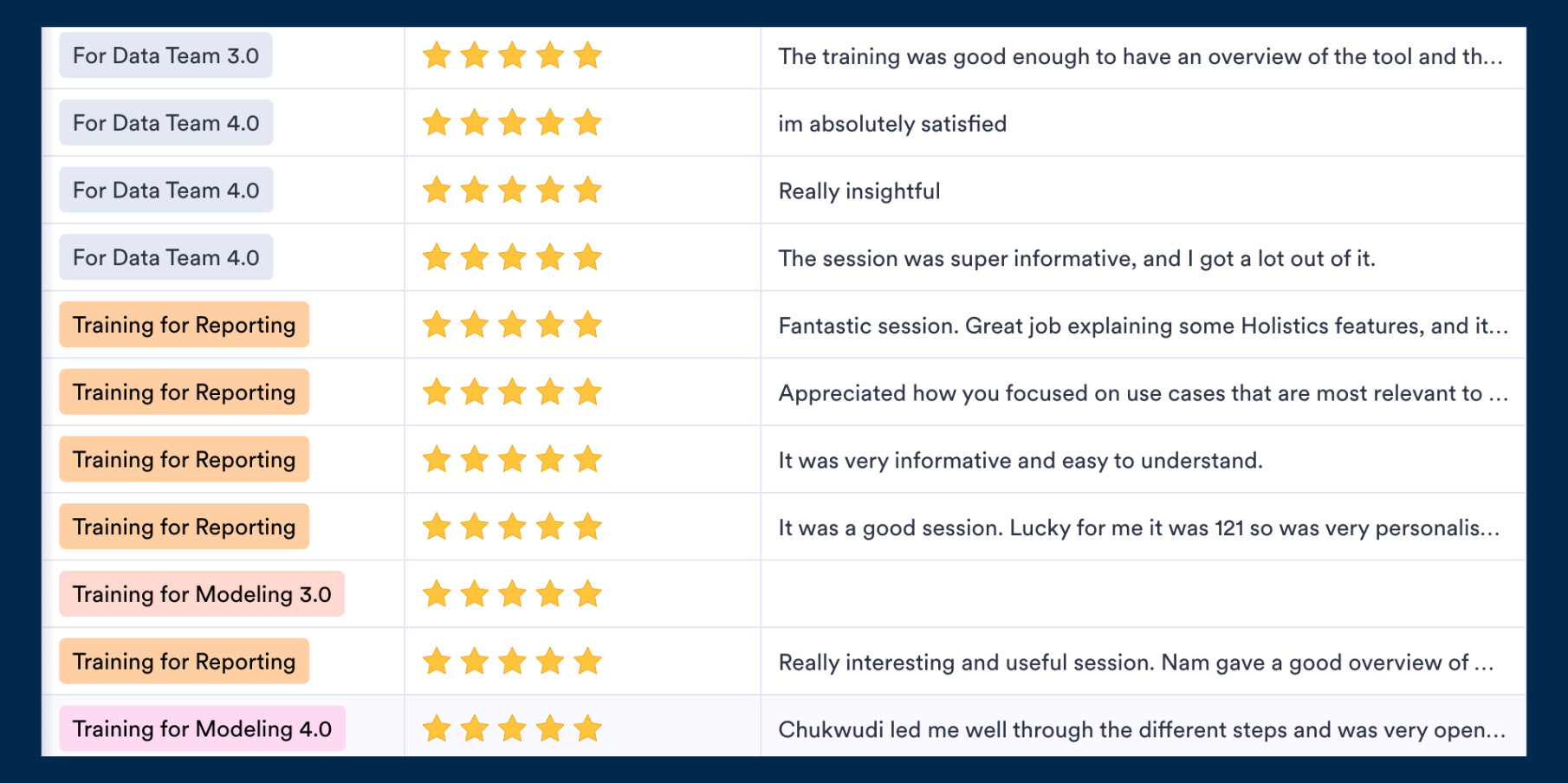
Not intrigued? Here’s what the audience has been saying! 
 August UX Roundup
You can also find all of our August UX Roundup here.
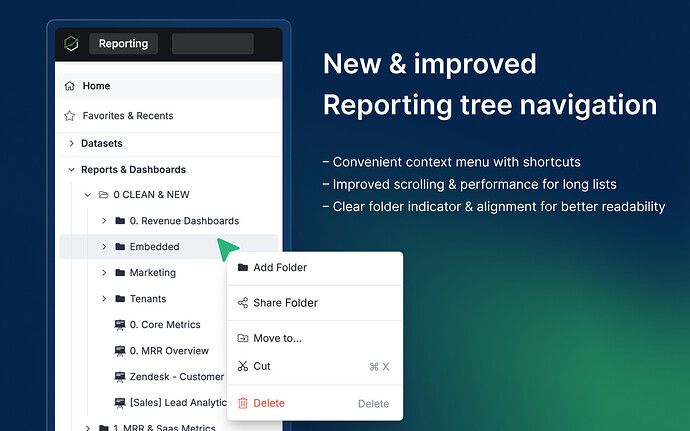
Refined Navigation Tree - Enhanced the reporting tree with faster file management through improved context menus and keyboard shortcuts, plus clearer navigation with new folder indicators that make browsing your content library more intuitive.
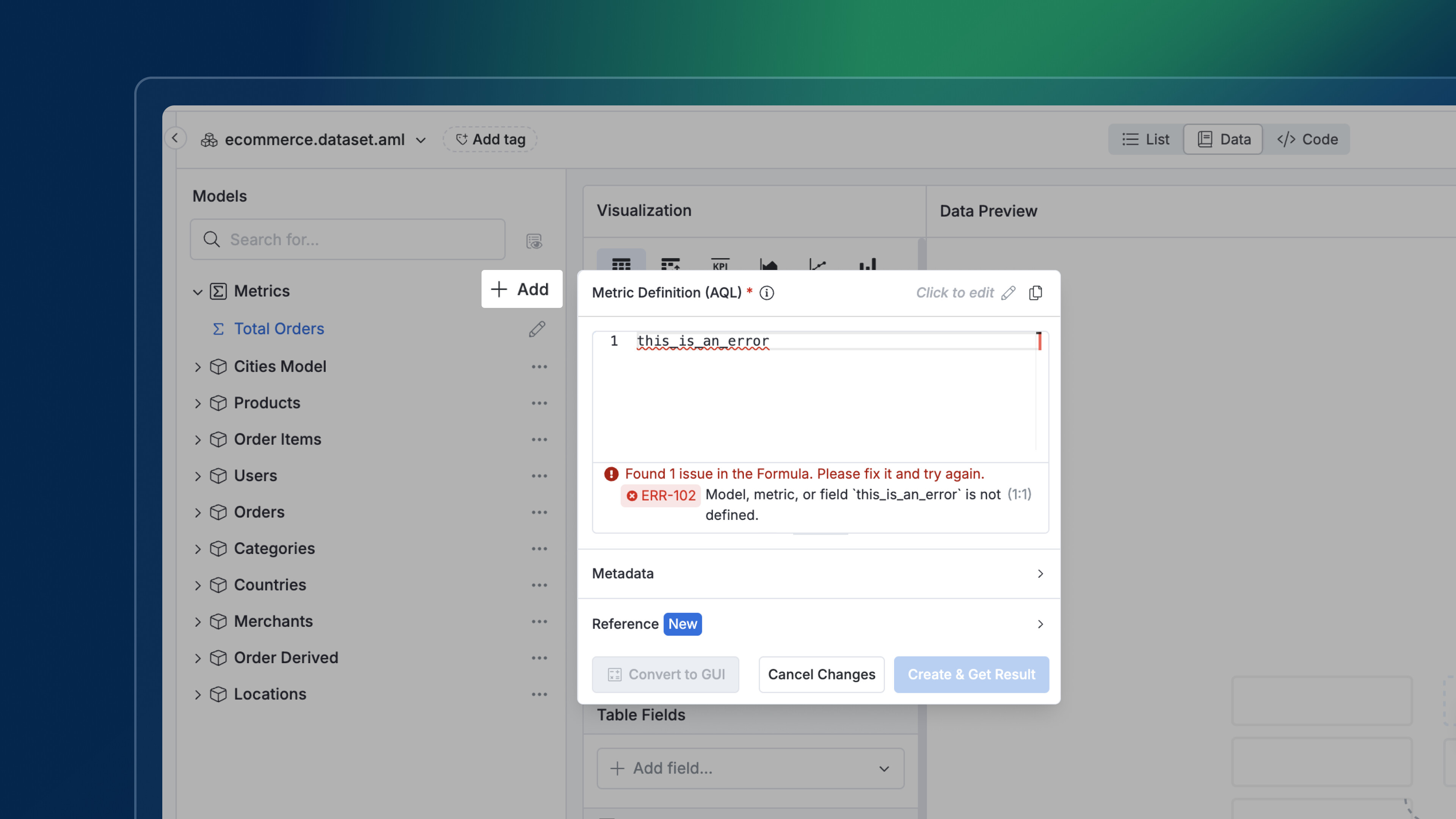
Friendlier Error Messaging - Redesigned AQL formula error badges to look less intimidating while ensuring error messages overflow instead of being truncated, making debugging faster and less stressful for developers.
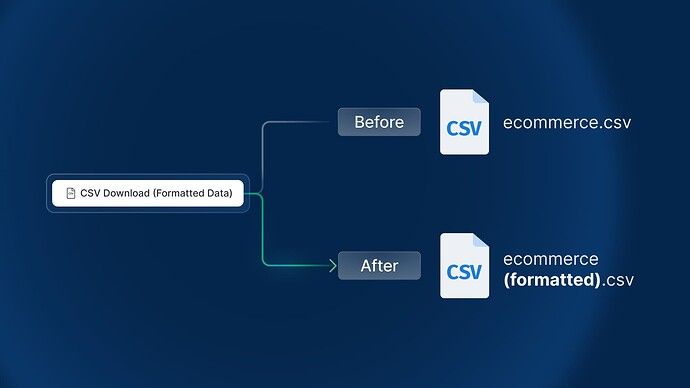
Clearer CSV Downloads - Enhanced CSV download functionality to clearly specify whether files contain raw or formatted data, with formatted files now including descriptive labels in the filename for better file management.
Final words
That’s all for this month. If you’re curious about our upcoming direction, check out our Product Roadmap. If you’re interested in what we just released in the past few months, check out our Release Note.
Do you have any feedback for us? If you do, hit Reply and let me know.
Or connect with me on LinkedIn and we can chat.
I’ll see you again real soon!