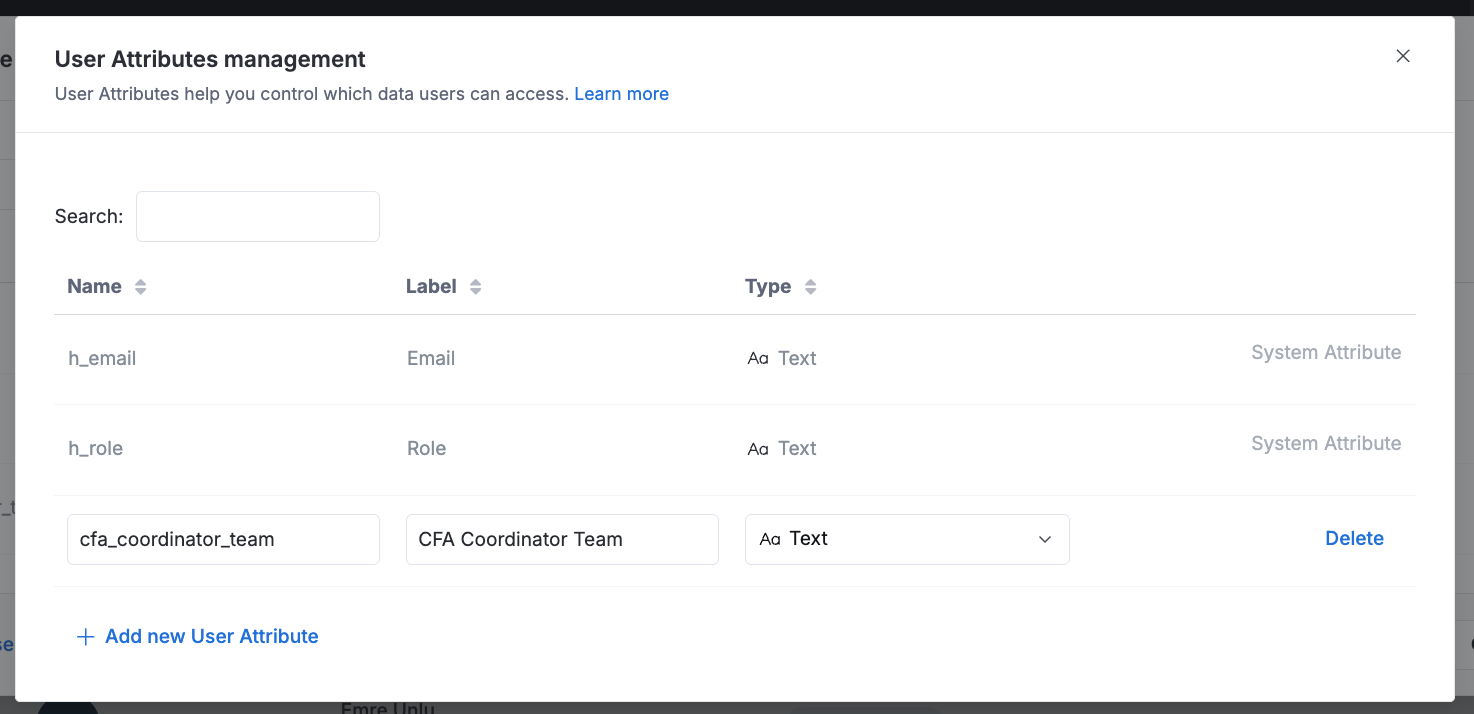
I have a dashboard that filter teams by coordinators. When a coordinator opens the dashboard, I want it to default to “my teams”. I’m trying to do it w/ user attributes like this (these filters are reusable library blocks that show up on a collection of dashboards):
Hi @stonematt, thanks so much for raising this.
You’re absolutely right - user attributes aren’t currently supported in Filter, and I understand how limiting that can be for your workflow. I’ve logged this as a feature request and will make sure it’s brought to our team’s attention for consideration.
I’ll let you know if there’re any new updates relating to this capability.
Thanks @tridvm – is there an interim or alternative approach that would simulate this sort of function? I have a deliverable in an SOW around this sort of capability, ie. “quality of life” or “user aware” conveniences.
I started brainstorming w/ the component library on canvas, but it seems like overkill to make 5 identical dashboards for each of the coordinators w/ some baked in/hard coded filter. Doesn’t scale as nicely
I have a team_data model that has the unique coordinators. Maybe I can use the user attribute to make a “that’s me” boolean and filter on that?
I got it working for this season, but it’s not particularly elegant.
Users have to know to turn off the “my pair” filter and choose another coordinator if they want to explore other teams.
this broke by preAggs, so I may have to abandon it anyway. – I have a preagg ladder that includes coordinator, buy my_pair is dynamic, so i don’t know how the engine would do that…
Must setup a parent child relationship between “My Coordinator Pair” and “Coordinator Pair” b/c it’s not reasonable to show this dashboard with “all coordinators”.
@tridvm, can you highlight this to your product team?
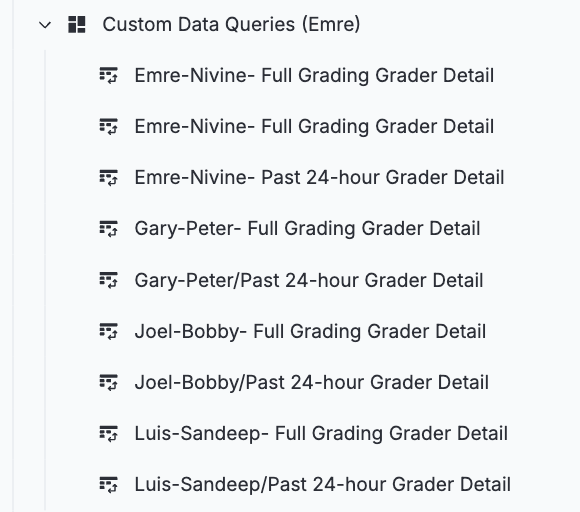
This screenshot is from our kickoff meeting today. While demoing the new dashboards, one of our coordinators mentioned he had to create hardcoded versions for each manager just to sidestep the process of:
load → update filter → reload “Mine.”
These dashboards are large and take several seconds to load, so that extra cycle is frustrating and inefficient for end users. What’s more concerning is the overhead it creates for coordinators: instead of one flexible productized dashboard, they’re now maintaining multiple hardcoded versions for their entire team. Every event means more dashboards to update, which makes the tool feel rigid and brittle instead of scalable and efficient. He’s not a developer, he shouldn’t have to inherit this.
A default-to-“My Teams” experience (whether via user attributes or another approach) would eliminate the workaround, reduce maintenance overhead, and significantly improve usability and adoption.
Thanks for sharing this and sorry to hear about the friction you’re experiencing. I understand how this adds extra steps for users and delays getting to the desired insights.
While we don’t currently have a concrete plan to support user attributes in filters, I want to assure you that your feedback has been logged in our backlog. I’ll also escalate this to our product team for further consideration in future improvements.
Regarding your workaround idea: it’s an interesting approach, but as you mentioned, it introduces additional complexity for users and unfortunately breaks pre-aggregations. This happens because preAggs rely on matching specific aggregation patterns with predefined dimensions (e.g., coordinator_team, count_something) - whereas your new dynamic dimension uses (my_pair: true/false, count_something), which doesn’t align with the pre-aggregated structure and causes query preAgg failures. You can read more about this info in our doc in dimension awareness.
In the meantime, here are two alternative approaches you might consider:
URL Parameters for Default Filters
You can pass filter values via URL parameters so each coordinator has a personalized default view. They can bookmark their version of the dashboard for quick access. For example: dashboard_url?coordinator_team=abc. Learn more about URL parameters.
You have the option programatically generate dashboard url with parameter with our API. You can read more here.
Disable Dashboard Auto-Run Coordinators can manually select their name in the filter before running the dashboard. This avoids unnecessary initial query time and gives users control over what data loads. See how to disable auto-run.
Let me know if this works for your case or if you have any further questions.
I ended up using Canvas Tabs w/ a summary “Home” tab and user filters, so Coordinators can pick themselves and subsequent tabs respect their choice. It’s not a bad user experience.
This is Pretty slick.
I still think leverageing user_attributes in this way would be VERY powerful.
Hi @stonematt,
Is your approach similar to this post? You can use it as a reference to implement a similar workaround - potentially avoiding the need to manually create tabs.
Rest assured, user_attributes approach has been already added to our backlog for future improvements.
Hi @robin, thanks for chiming in and for your patience.
Unfortunately, I don’t have a concrete timeline to share for native user_attributes support in filter defaults — it’s on our backlog but not yet scheduled for an upcoming release. I’ll make sure your interest is noted to reinforce its priority internally.
In the meantime, please consider the workarounds shared above:
Canvas Tabs — set up a “Home” tab where users select themselves once, and subsequent tabs respect that choice.
URL parameters — pre-populate filter values in the dashboard URL so each user can bookmark their own personalized link. (docs)
Bookmarks Block — a community pattern for building a user-controlled home view. (see this post)
One quick question to help us shape the right solution: are you using these dashboards internally (via the Holistics app) or embedded in an external product or portal? Would love to know more about your setup.