Hi community,
Happy Year of the Horse  ! May the year bring you happiness, good health, and prosperity. To keep our strong momentum going, we’ve got some updates to share. Let’s gallop into what’s new.
General UX & UI enhancements
-
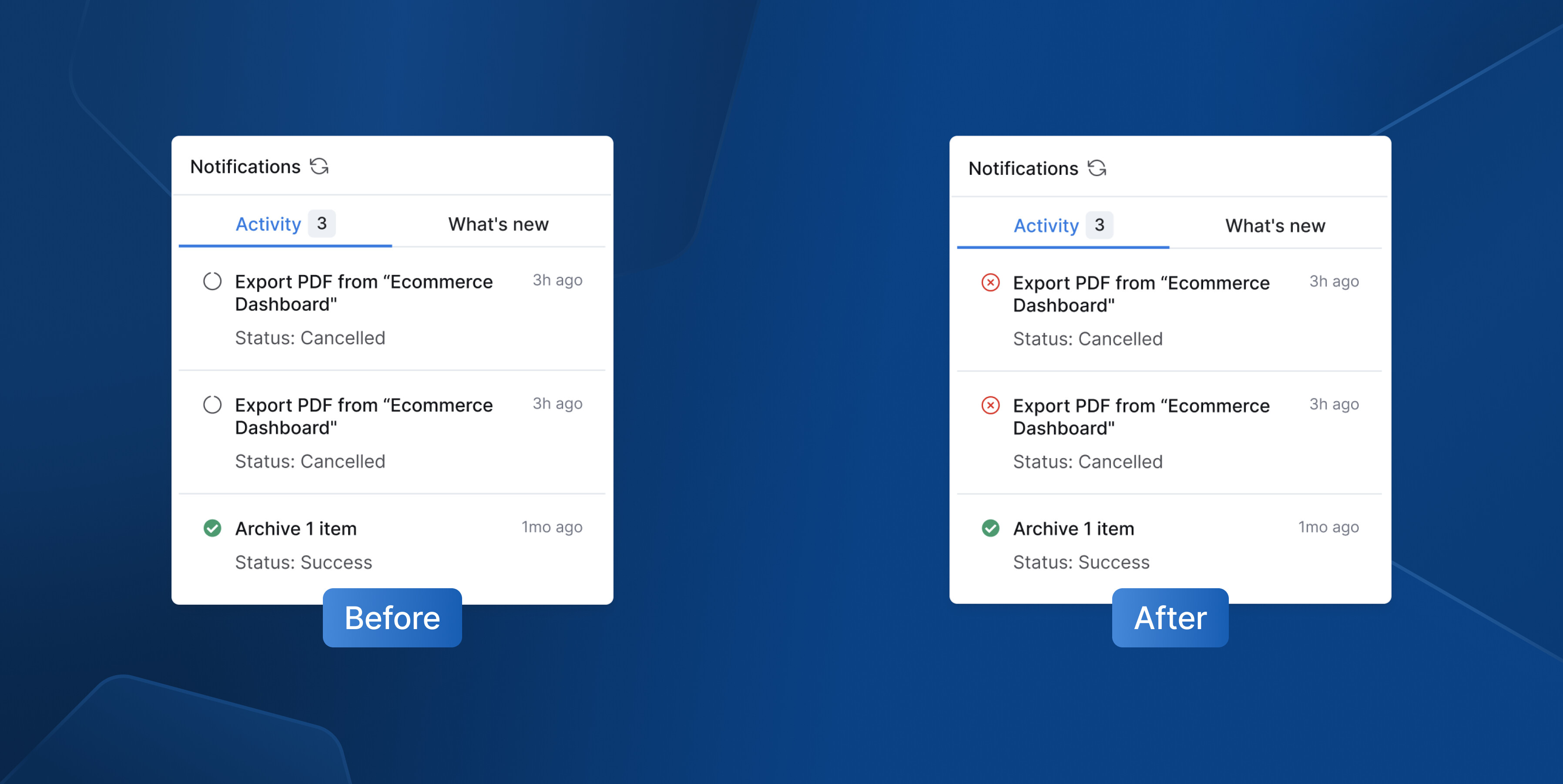
Notification status - We corrected an issue where the loading icon remained in notifications even after an export job was canceled. It will now display an “error” icon instead for better status indication.
-
Fixed an issue where tree items shifted vertically on hover, so the visual experience is now smoother and more stable.
-
Resolved an inconsistency where the validation border was larger than the filter box
-
Fixed border and drop shadow issues under item descriptions and icon underlines in Tagged Objects.
-
Updated several Settings pages (Data Sources, Users, Groups, Jobs Monitoring, Activities) to full-width layout, while maintaining a consistent 24px left and right padding.
Reporting
-
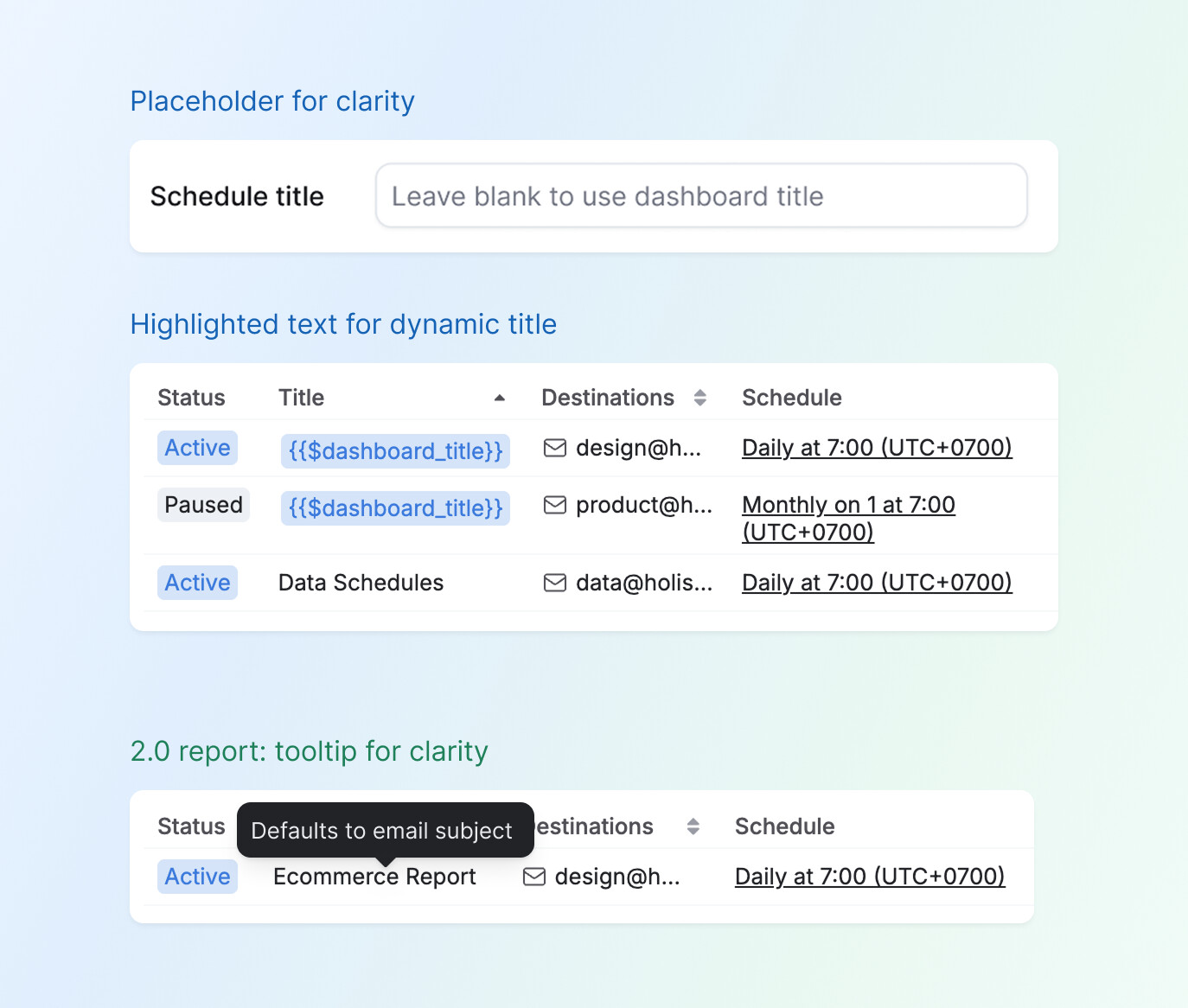
Enhanced the Title field behavior in the Data Schedules page - A new placeholder clarifies that if left blank, the schedule title automatically defaults to the dashboard title.
{{$dashboard_title}}now renders consistently as a tag for clearer visual cues. In v2.0, a tooltip indicates when the title is auto-generated from the Email Subject.
-
Added a “Go to Definition” button on the Reporting sidebar to make it quicker and more convenient to navigate to dataset definitions without waiting for the full dataset to load.
-
Revised the UX writing for reused dashboard edit instructions to be more user-friendly: "This dashboard is a reused dashboard and can only be edited in Development’s code mode”.
-
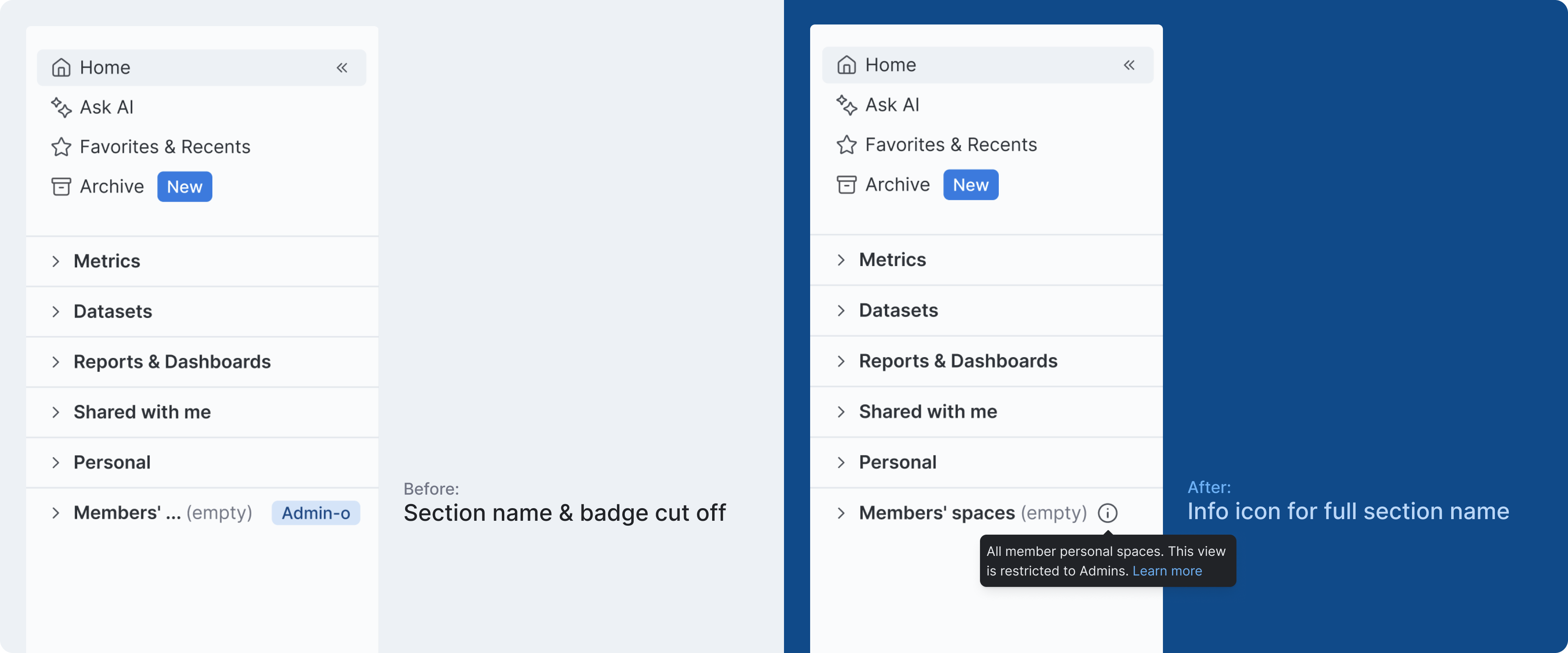
[Coming soon] Members’ spaces - Fixed a UI issue where the “Admin-only” badge was cut off when the Members’ Spaces section was empty. It’s now replaced with an info icon — hover to learn that this section is admin-only.
Development
- Fixed an issue in the Adhoc query editor where long lines of code could not be fully viewed, especially when visualization settings were present.
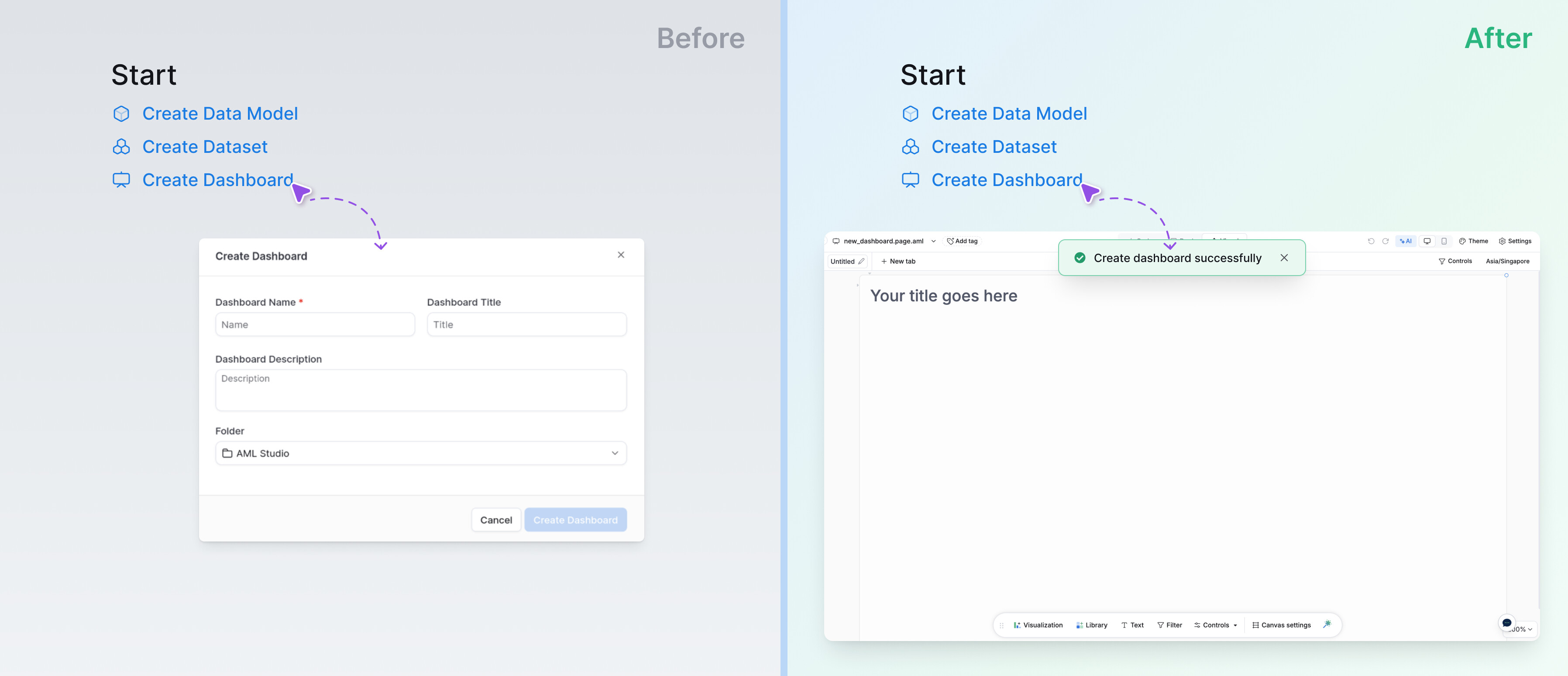
- Create dashboard in Development home - Simplified the “Create Dashboard” flow to align with the Tree experience. You now go directly to the dashboard without pre-filling a modal.
As we ride into the year ahead, we’re grateful for how you keep us moving forward. Your feedback fuels every stride, so stay tuned – there’s more galloping your way soon!