Hi community  ,
,
A new month brings a fresh set of thoughtful refinements. This round, we’ve focused on small but meaningful adjustments designed to make your everyday experience feel just a bit smoother.
This month, our team at Holistics took part in a Weekathon, and the design team also had an exciting team-building trip! As a result, we weren’t able to tackle as much cheese as usual.
We sincerely apologize for that, but rest assured, we’ll come back much stronger next time!
Modeling
Small UI bug
While small UI bugs don’t affect functionality, we understand that they can be frustrating and may give the product a less polished, professional look.
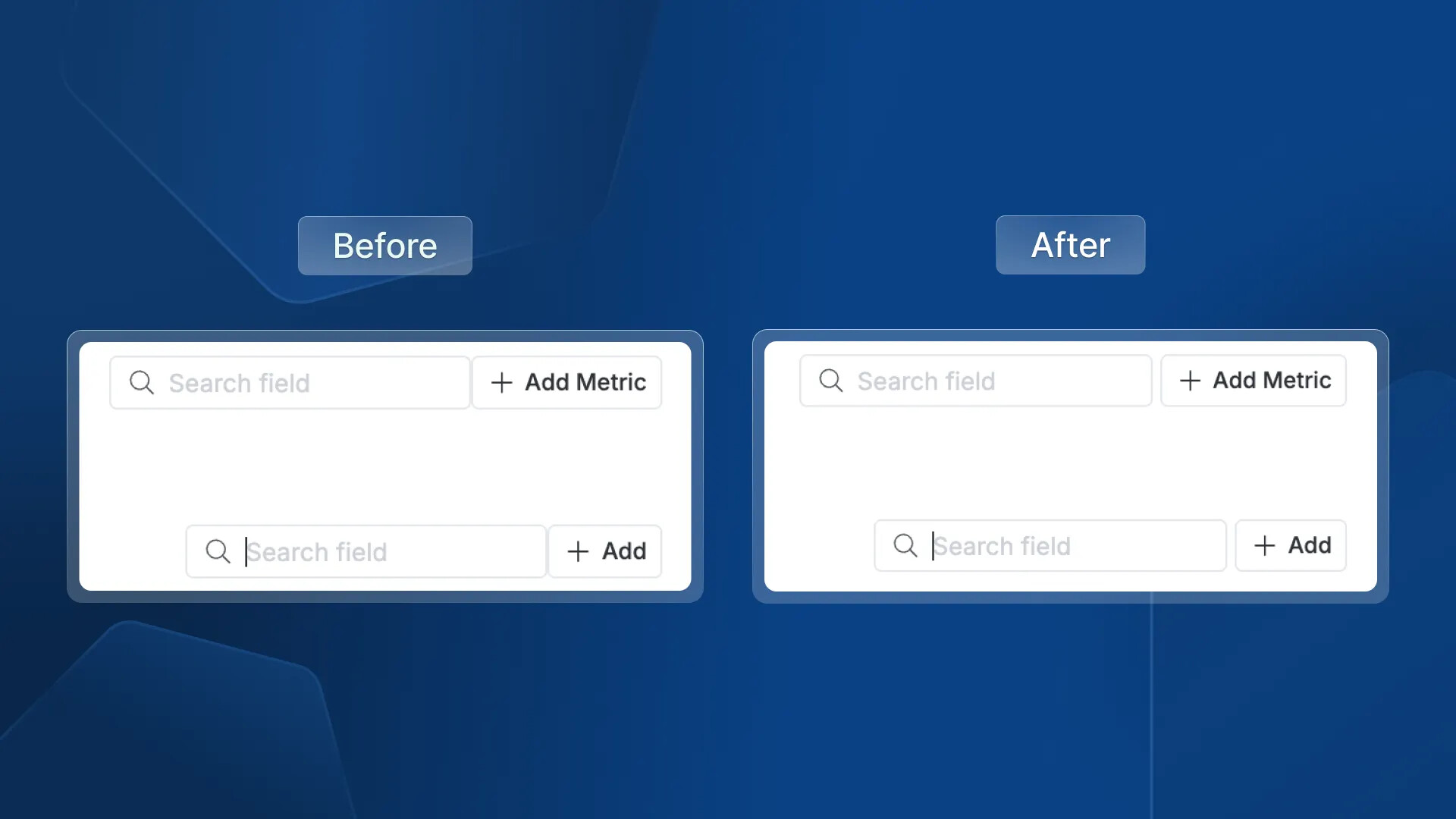
We’ve taken the time this month to address these bugs, with one notable fix being the adjustment of the spacing between the search box and the CTA.
Reporting
Conditional formatting
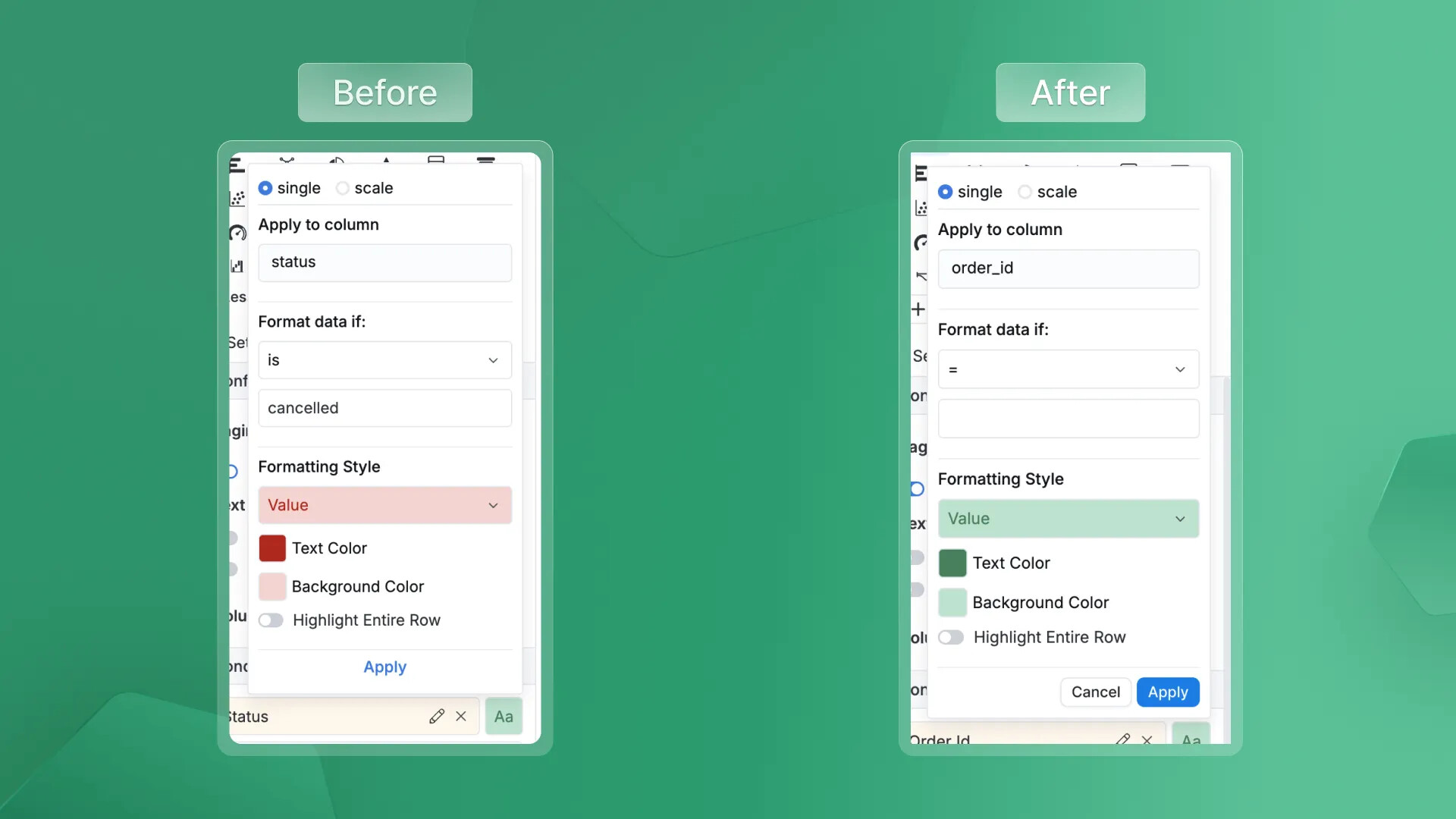
Have you ever applied conditional formatting, added the necessary values, and then accidentally clicked outside, losing all the changes you just made?
We’ve heard your frustration. Now, if you accidentally click outside, the popover won’t close anymore. Your changes will only be applied once you click the “Apply” button.
Floating action bar
A little magic has been worked on the action floating bar. Now, no matter where the block is positioned, the action floating bar won’t get hidden or cut off—it’s always ready for you to access.
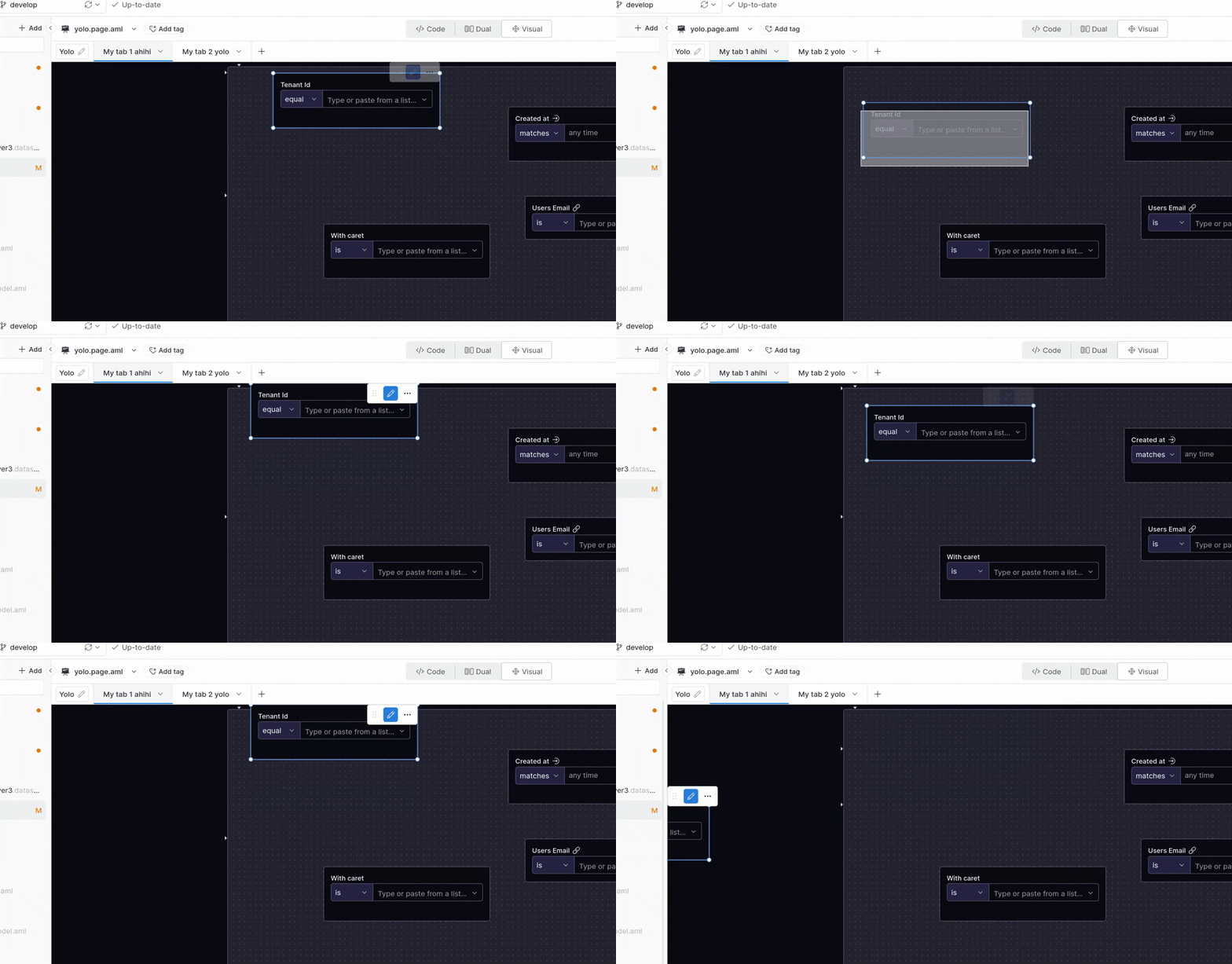
Chart color
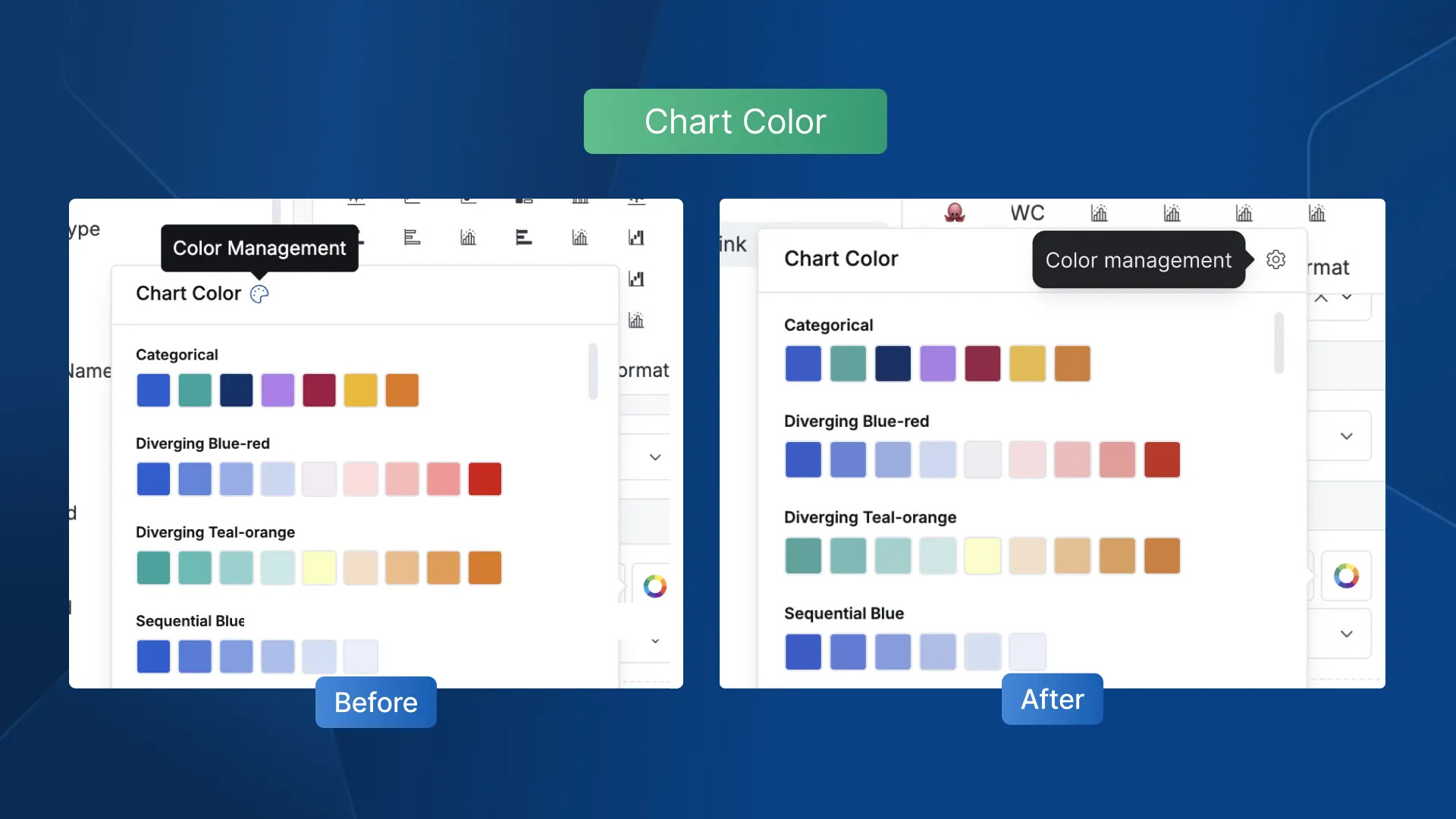
We believe that even small changes can enhance your experience. That’s why we’ve replaced the ambiguous color palette icon with a more intuitive settings icon. It’s now easier for you to recognize that you can open a space to manage chart colors.
Others
Here are a few other changes we’ve made to improve your experience with Holistics and leave a better impression:
- Fixed the alignment issues with titles that were previously misaligned or wrapped randomly.
- Updated some info messages to banner components, making them more noticeable and easier to spot.
- Improved the information in tooltips to make the details clearer and easier to understand.
- When using the filter panel on the Canvas Dashboard, you won’t face the issue of the panel closing automatically when you need to search for a new keyword anymore.
- Your profile avatars will now display at the highest resolution for a sharper, clearer look.
- No more missing icons representing data object types when searching.
That’s all for this month’s updates. As always, your feedback guides what we improve next  and we’re grateful for every insight you share. More enhancements are already in the works, and we’ll be back with even more improvements after our well-deserved break!
Thanks for your understanding and stay tuned! 