# Dashboard/visual export
**URL:** https://community.holistics.io/t/dashboard-visual-export/2307
**Category:** Ask the Community
**Tags:** visualizations, canvas-dashboard, dashboard
**Created:** [November 21, 2024, 3:24pm UTC](https://community.holistics.io/t/dashboard-visual-export/2307 "2024-11-21T15:24:05Z")
**Posts on this page:** 5
**Page:** 1
### Author:  [@DataGeekDude](https://community.holistics.io/u/DataGeekDude)
#### Post date: [November 21, 2024, 3:24pm UTC](https://community.holistics.io/t/dashboard-visual-export/2307/1 "2024-11-21T15:24:06Z")
Hi All,
I was wondering if it is possible to get an export of the “old” dashboards in some form of text output so that we can look to translate this into canvas dashboards and use in LLM’s for a discovery initiative we have.
Thanks
---
### Author:  [@Theodore](https://community.holistics.io/u/Theodore)
#### Post date: [November 22, 2024, 2:46am UTC](https://community.holistics.io/t/dashboard-visual-export/2307/2 "2024-11-22T02:46:08Z")
Hi @DataGeekDude,
You can follow this guide to generate canvas dashboards directly from legacy dashboards in-app: [Create Canvas Dashboard | Holistics Docs (4.0)](https://docs.holistics.io/docs/canvas-dashboard/create-edit-canvas-dashboard/canvas-dashboard-workspace#converting-legacy-dashboard-to-canvas-dashboard)
Hope this helps!
---
### Author:  [@thanh](https://community.holistics.io/u/thanh)
#### Post date: [November 25, 2024, 3:10am UTC](https://community.holistics.io/t/dashboard-visual-export/2307/3 "2024-11-25T03:10:10Z")
Hi @DataGeekDude, we would really love to hear more about your experiment with LLM to work with our dashboards. Given the as-code foundation of Holistics, LLMs should be a great fit for many potential applications, and thus could be one of our focuses for 2025. Do you mind sharing more if it is not too sensitive?
---
### Author:  [@DataGeekDude](https://community.holistics.io/u/DataGeekDude)
#### Post date: [December 2, 2024, 4:16pm UTC](https://community.holistics.io/t/dashboard-visual-export/2307/4 "2024-12-02T16:16:57Z")
Thanks @Theodore for the reply, thats great we can easily convert them.
The one thing I find hard with Canvas dashboards is telling which datasets/models are used in a dashboard so that we can link to the correct one. The format of the dashboard doesn’t really have a single section for that information. Is there an easy way to tell which it links to?
---
### Author:  [@Theodore](https://community.holistics.io/u/Theodore)
#### Post date: [December 3, 2024, 5:39am UTC](https://community.holistics.io/t/dashboard-visual-export/2307/5 "2024-12-03T05:39:43Z")
Hi @DataGeekDude,
You’re right, we don’t support an easy method to view the upstream datasets and data models used in a dashboard. I’ve logged this feature request in our backlog for future enhancements.
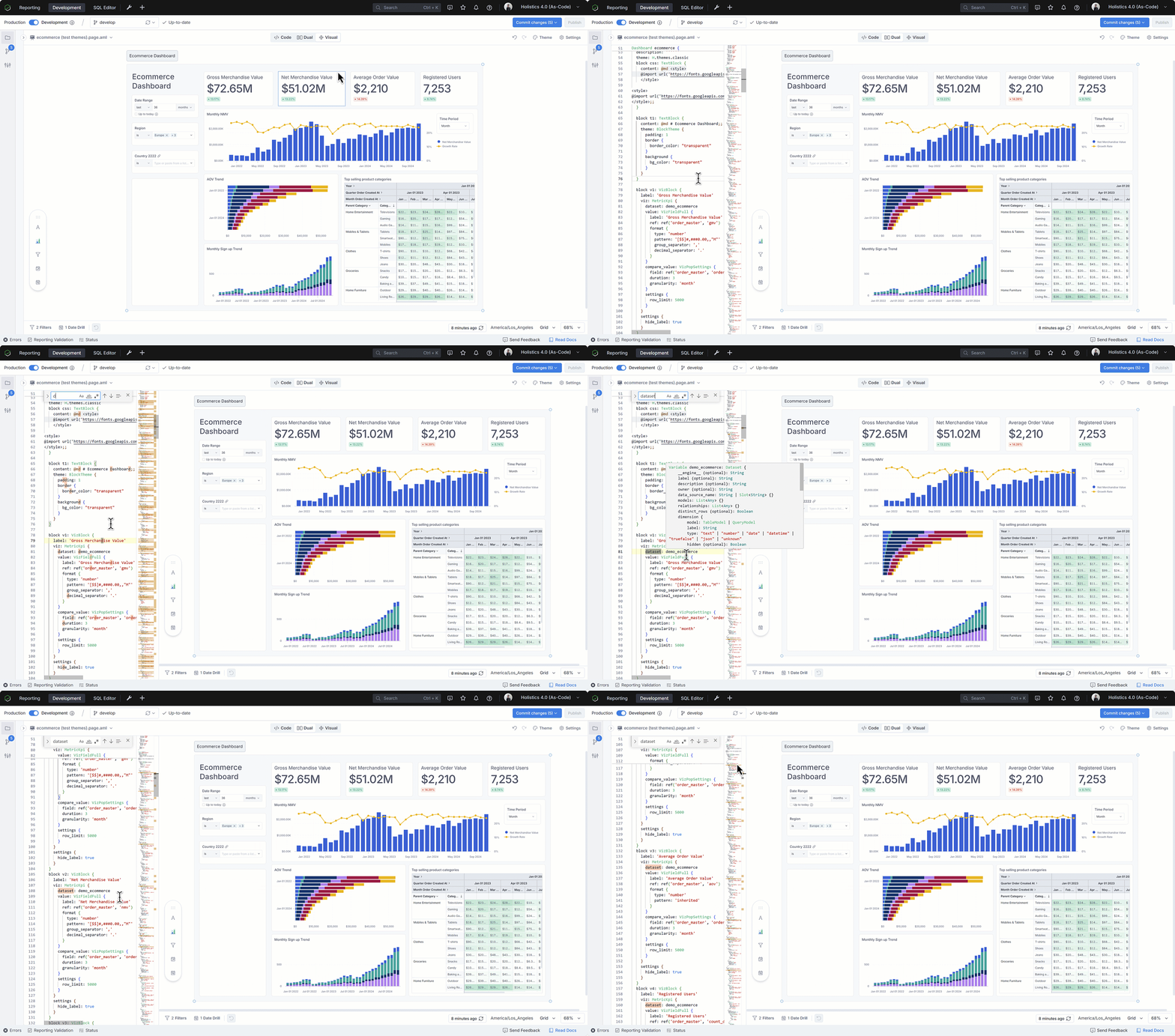
In the meantime, as a temporary workaround, you can search for the term “dataset” in your dashboard definition to identify the datasets being used.