Hello,
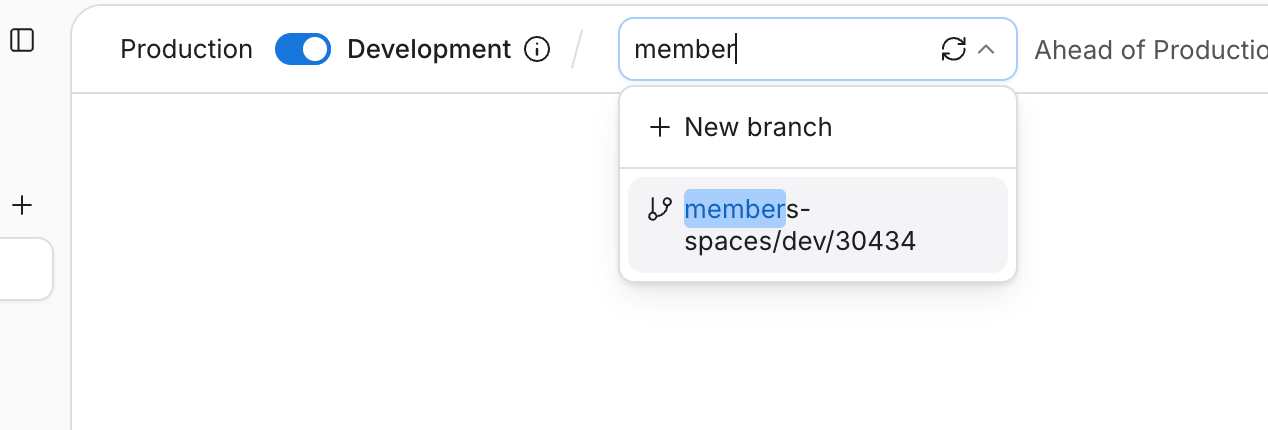
I am an Admin on our Holistics workspace. I can see members’ personal workspaces in Reporting → Members’ Spaces, but I need to access them in Development as well.
According to the Workspace Management documentation, personal dashboards live on the members-spaces/prod (read-only) and members-spaces/dev (editing) branches. I cannot find these branches in Development, and the documentation does not explain how an admin can open them.
Could you please tell us:
- Can an Admin open another member’s personal workspace (
members-spaces/dev) in Development? If so, how? - Where do these branches appear in the Development UI (branch selector, Git view), and are they hidden by default?
- If this is not supported, what is the recommended way for an Admin to read or edit the AML of another member’s personal dashboard (for example, to promote it to
master)? - Is any setting or role required for this to be available?
Thank you,
Romain Doré